

Summer School Program
Progress Input, Completion Tracking & Reporting
The Summer School Program solution keeps a short, intensive term fully documented. Teachers open one input workspace for each summer class and record a class overview, a comment for every student and skills ratings on a five-level scale. Co-ordinators follow a completion tracker that shows, by campus, grade and teacher, which overviews, comments, skills and guardian emails are still pending and where to focus first. Administrators set the term dates and entry windows, and when the term ends the summer report is generated as a PDF and emailed to each guardian.
Solution Overview
A short term, fully documented
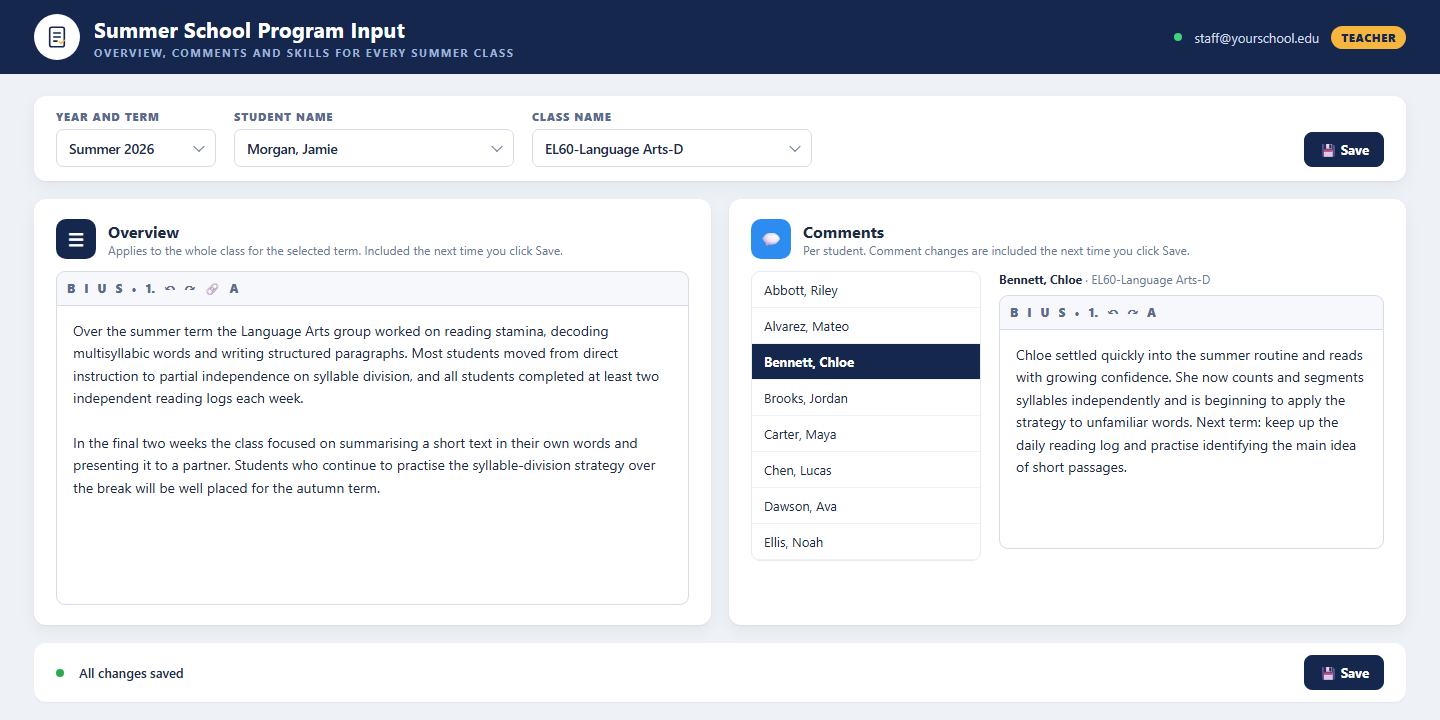
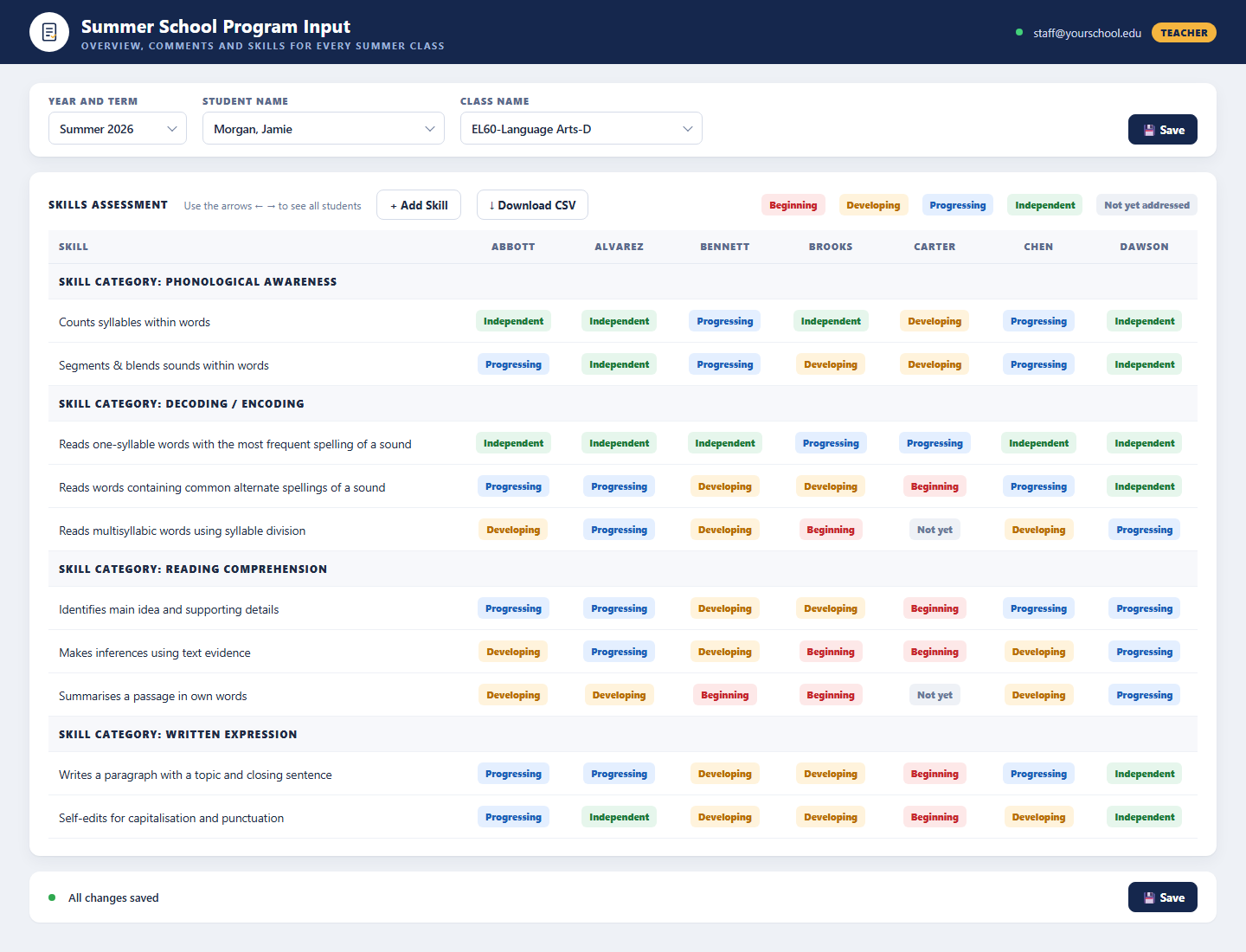
Summer programs move fast, and the record of what each student achieved is often the first thing to slip. This solution gives teachers a single input workspace per summer class with three entries: an Overview that applies to the whole class for the term, a Comment for each student written in a rich-text editor, and a Skills Assessment grid where every skill in the class library is rated Beginning, Developing, Progressing, Independent or Not Yet Addressed. Skills can be added or grouped into categories, exported to CSV and saved in one click.
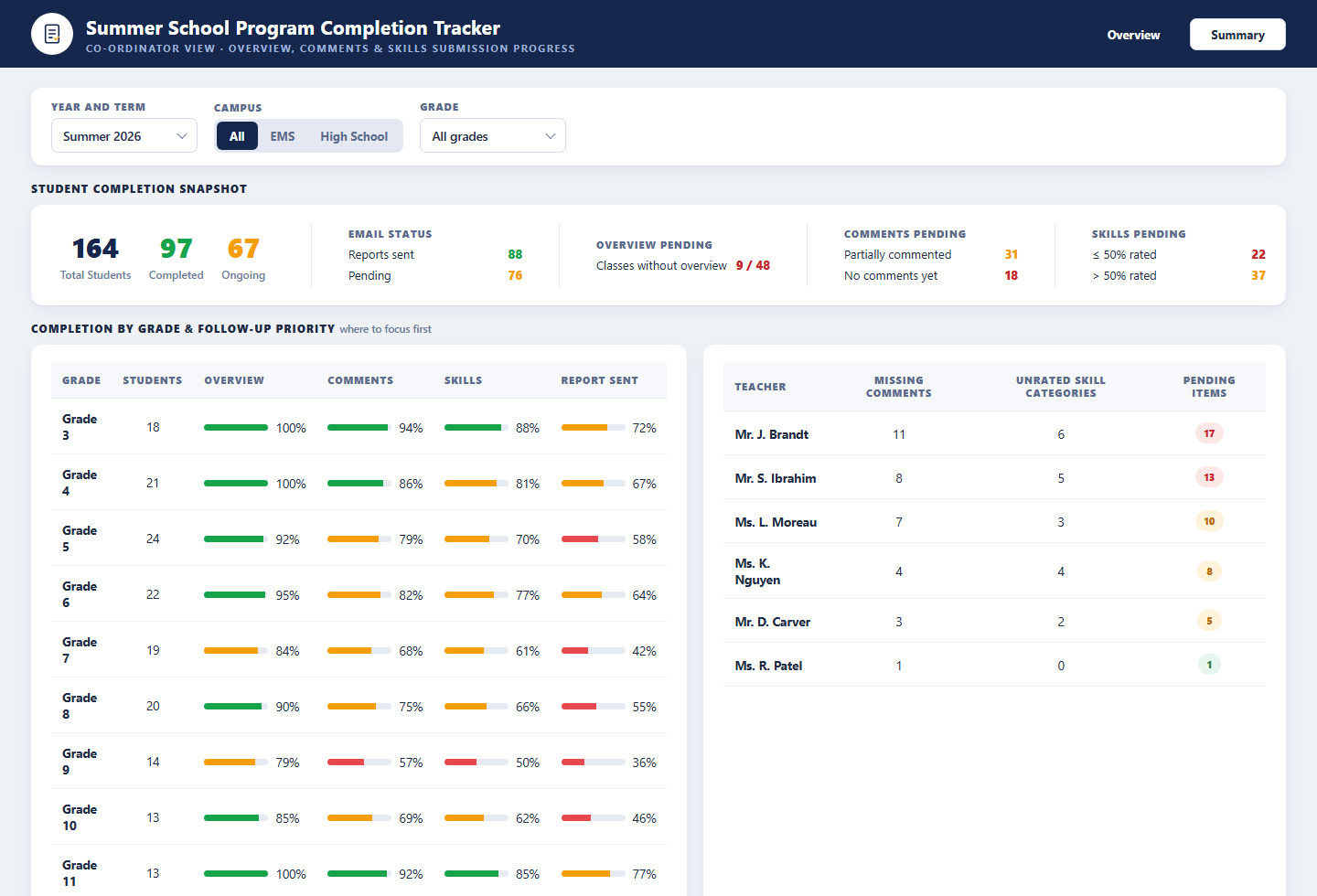
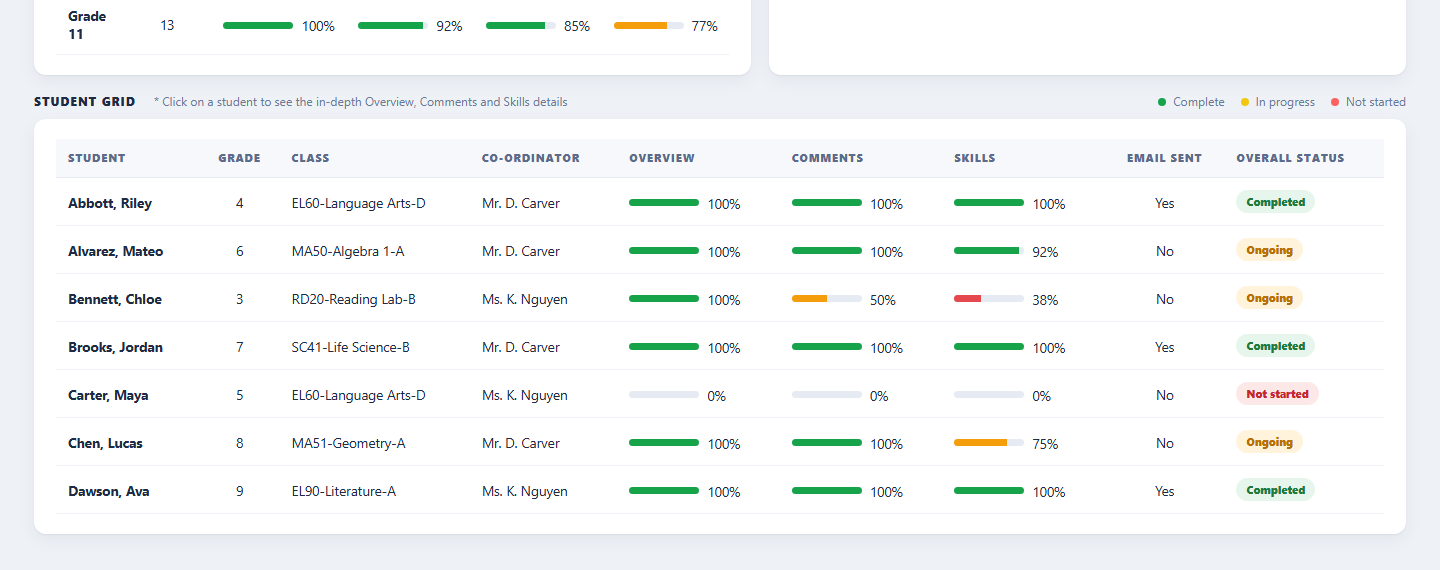
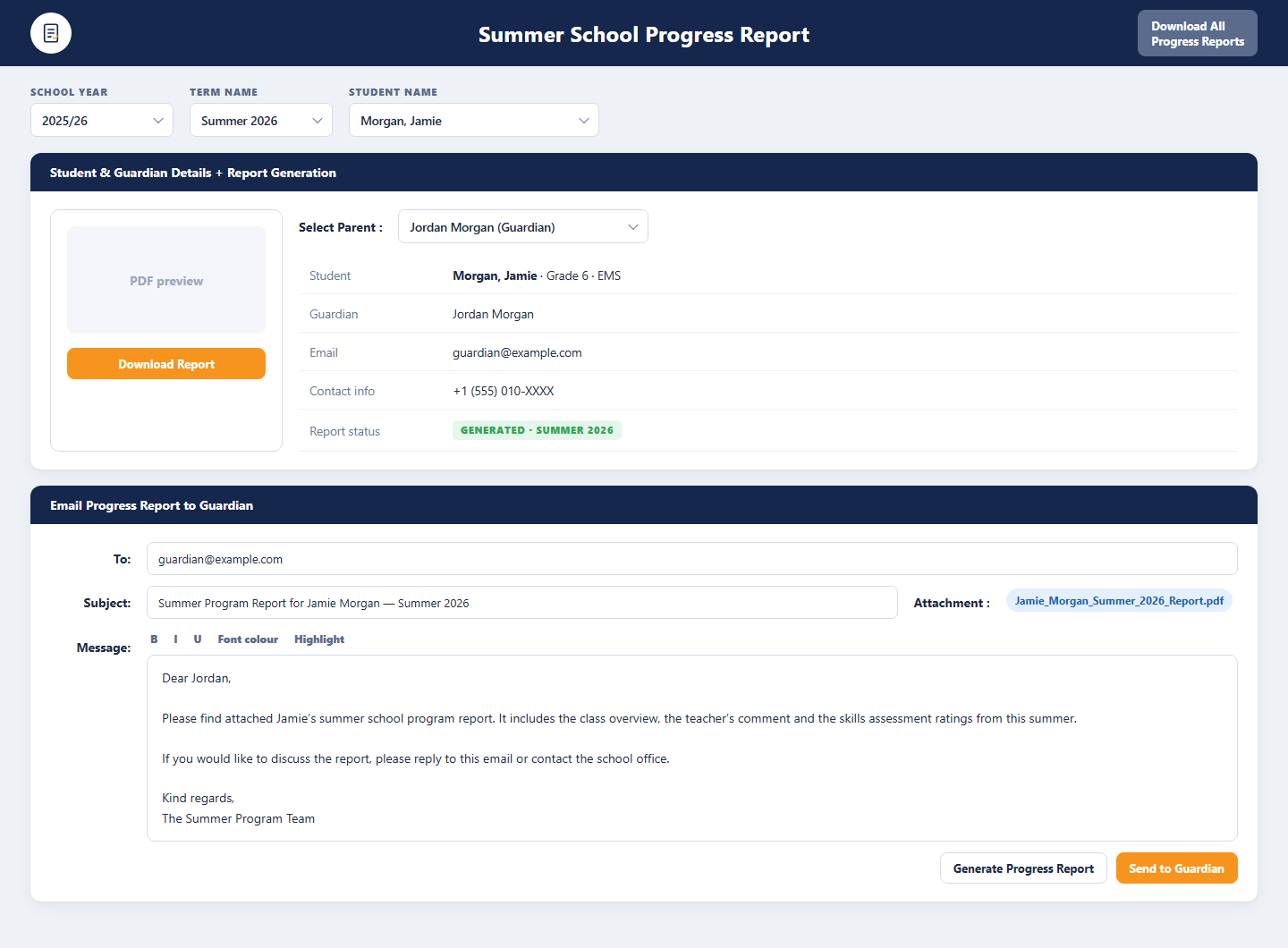
Co-ordinators see the whole picture on the Completion Tracker: a snapshot of total, completed and ongoing students, email status, and how many overviews, comments and skills are still pending, with a breakdown by grade and a follow-up priority list by teacher. A student grid shows each student’s overview, comments, skills and email status, and opens the student’s full details on a click. The Configuration console sets the summer term, entry windows and the guardian email template, and the Progress Report generator produces the PDF, previews it and sends it to the selected guardian. Everything runs on the BDB Platform.
- Class overview, per-student comments and five-level skills ratings in one workspace
- Completion tracker by campus, grade and teacher with a follow-up priority list
- Summer term dates and entry windows for teachers and co-ordinators set by the school
- Summer progress report generated as PDF and emailed to guardians from a template

What It Does
Program Input Workspace
A class overview, a rich-text comment for every student and a skills assessment grid, entered by the teacher within the term’s entry window and saved in one click.
Completion Tracker
A co-ordinator view of overview, comments, skills and email progress across campuses, grades and teachers, with a student grid and a where-to-focus-first list.
Setup & Guardian Reports
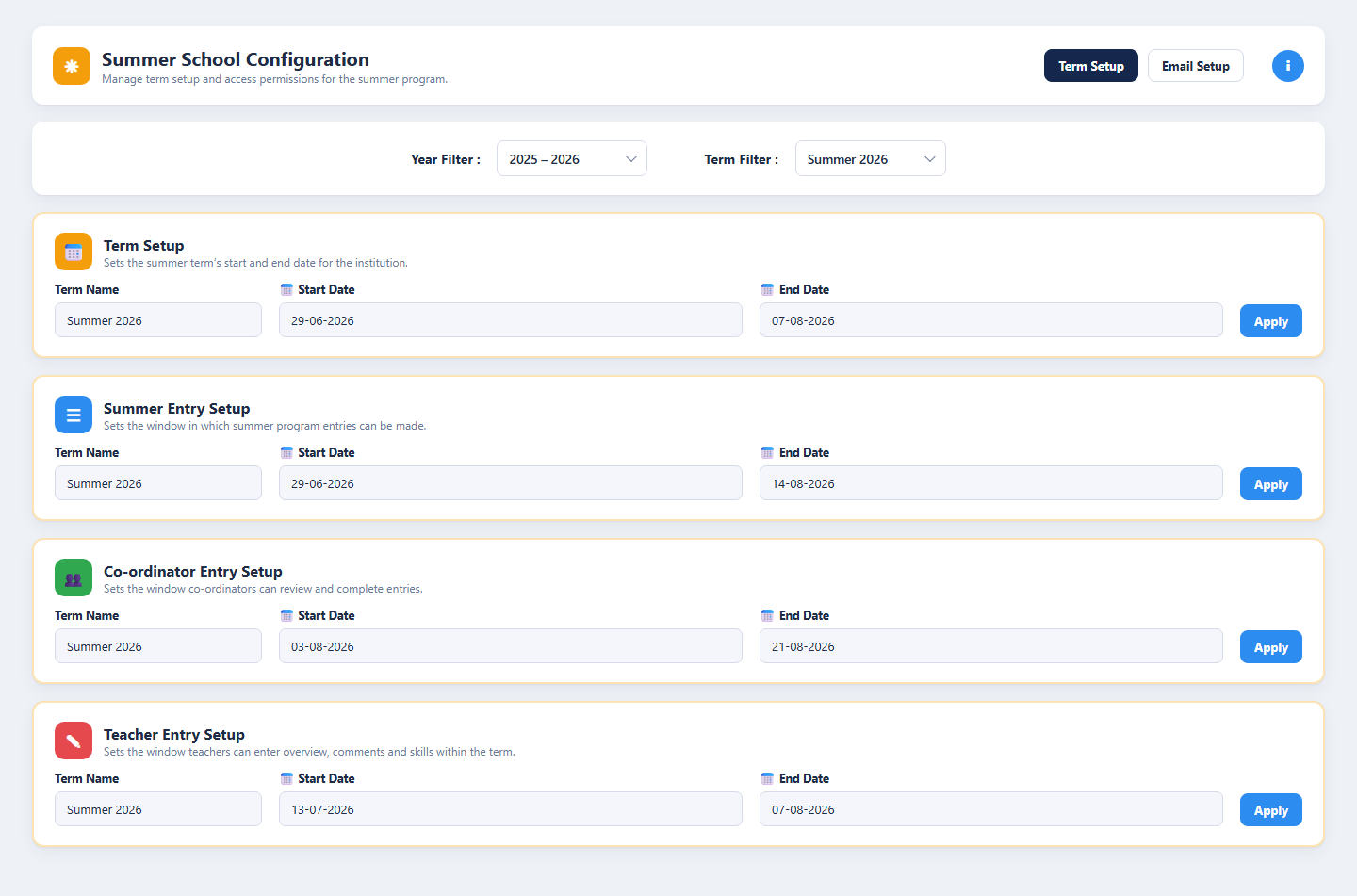
Summer term dates, entry windows and the email template, plus a report generator that creates the PDF and emails it to the guardian.
Who It Serves
Record the summer term for every student
- Write one overview for the whole class and term
- Add a comment for each student from the student list
- Rate every skill from Beginning to Independent
- Add skills or skill categories as the class needs them
- Download the skills grid as CSV
- Save overview, comments and skills together in one click
See what is pending and where to focus first
- Filter the tracker by year and term, campus and grade
- See total, completed and ongoing students at a glance
- Track pending overviews, comments, skills and emails
- Compare completion by grade and spot teachers with the most pending items
- Open any student’s overview, comments and skills from the grid
- Review and complete entries within the co-ordinator window
Set up the term and report to families
- Set the summer term’s start and end dates
- Define the summer, teacher and co-ordinator entry windows
- Maintain the guardian email template
- Generate the summer progress report as a PDF
- Email the report to the selected guardian
- Download all summer reports for the term in one go
How It Works
From term setup to the guardian’s inbox in four steps
Administrators set the summer term dates, the entry windows for teachers and co-ordinators and the email template. During the term, teachers complete the overview, comments and skills ratings for each class. Co-ordinators watch the completion tracker, chase pending items by grade and teacher and finish their review. When every entry is in, the summer report is generated and emailed to each guardian.
Configure
Set the summer term dates, the summer, teacher and co-ordinator entry windows and the guardian email template.
Enter
Teachers write the class overview, comment on every student and rate skills on the five-level scale.
Track
Co-ordinators follow completion by campus, grade and teacher and open any student’s details from the grid.
Share
The summer progress report is generated as a PDF, previewed and emailed to the guardian from the template.
Benefits and Features
Class Overview
One rich-text overview per class and term, written by the teacher and included the next time the class is saved.
Per-Student Comments
A comment for every student in the class, chosen from the student list and written in a formatting editor with links and lists.
Skills Assessment Grid
Skills grouped by category and rated Beginning, Developing, Progressing, Independent or Not Yet Addressed for each student, with add-skill and CSV export.
Completion Snapshot
Total, completed and ongoing students, email status and pending overviews, comments and skills for the selected campus and grade.
Follow-up Priority
Completion by grade and a teacher list ranked by missing comments, unrated skill categories and pending items, so co-ordinators know where to focus first.
Student Grid Drill-down
Every student’s class, co-ordinator, overview, comments, skills and email status, with a click-through to the full details.
Term & Entry Window Setup
Summer term dates and separate entry windows for summer entries, teachers and co-ordinators, filtered by year and term.
Guardian Email Template
The subject and message sent with each report, maintained by the school in the configuration console.
Summer Progress Reports
Generate the PDF for a student, preview and download it, email it to the selected guardian, or download every report for the term.
Platform Screens
Three Roles, One Platform
Teachers
Sign in with their institution account to complete the overview, comments and skills ratings for each summer class within the entry window.
Co-ordinators & Administrators
Set up the term, follow completion by campus, grade and teacher, open student details and generate the summer reports.
Guardians
Receive the summer progress report as a PDF by email, with the class overview, the teacher’s comment and the skills ratings.
Tailored to Your Institution
Flexible by design
The solution provides flexibility to tailor components to the institution’s own identity and requirements. Logo, branding, colour theme, communication style, terminology, workflows and other institution-specific requirements can be customised if required.
Every element seen in the demo is a starting point. Yujaa configures the solution around how your summer program team already works, so everyone experiences a platform that feels like their own.
Logo & Branding
Institution logo, name and visual identity across every portal and email.
Colour Theme
Palette and styling aligned to the institution’s brand guidelines.
Communication & Terminology
Email tone, labels and terms matched to how the institution speaks.
Workflows
Approval steps, forms and role permissions set to local requirements.
Ready to Document Every Summer Term?
Walk through the input workspace, completion tracker, configuration console and summer report generator with the Yujaa team. Built and hosted on the BDB Platform.