

IEP Manager
Individualized Education Program Management
IEP Manager brings every part of a student’s Individualized Education Program into one place. Teachers write termly reflections, complete report cards with attendance and grades, rate skills against a five-level scale and record current performance on IEP goals. Co-ordinators configure terms and entry windows, manage staff access, follow completion across the whole cohort and recover any earlier version of an entry. When the term closes, progress reports are generated as PDFs and emailed to guardians.
Solution Overview
One workspace for the whole IEP cycle
An Individualized Education Program only works when everyone keeps it current. IEP Manager gives teachers a single reports workspace with four tabs for each student and term: Reflections on the area of focus, a Report Card with whole-day attendance and class grades, a Skills Assessment grid rated from Beginning to Independent, and IEP Goals with objectives and current performance. Entries are saved as they go, and co-ordinators and administrators add their own overview and comments alongside the teacher’s.
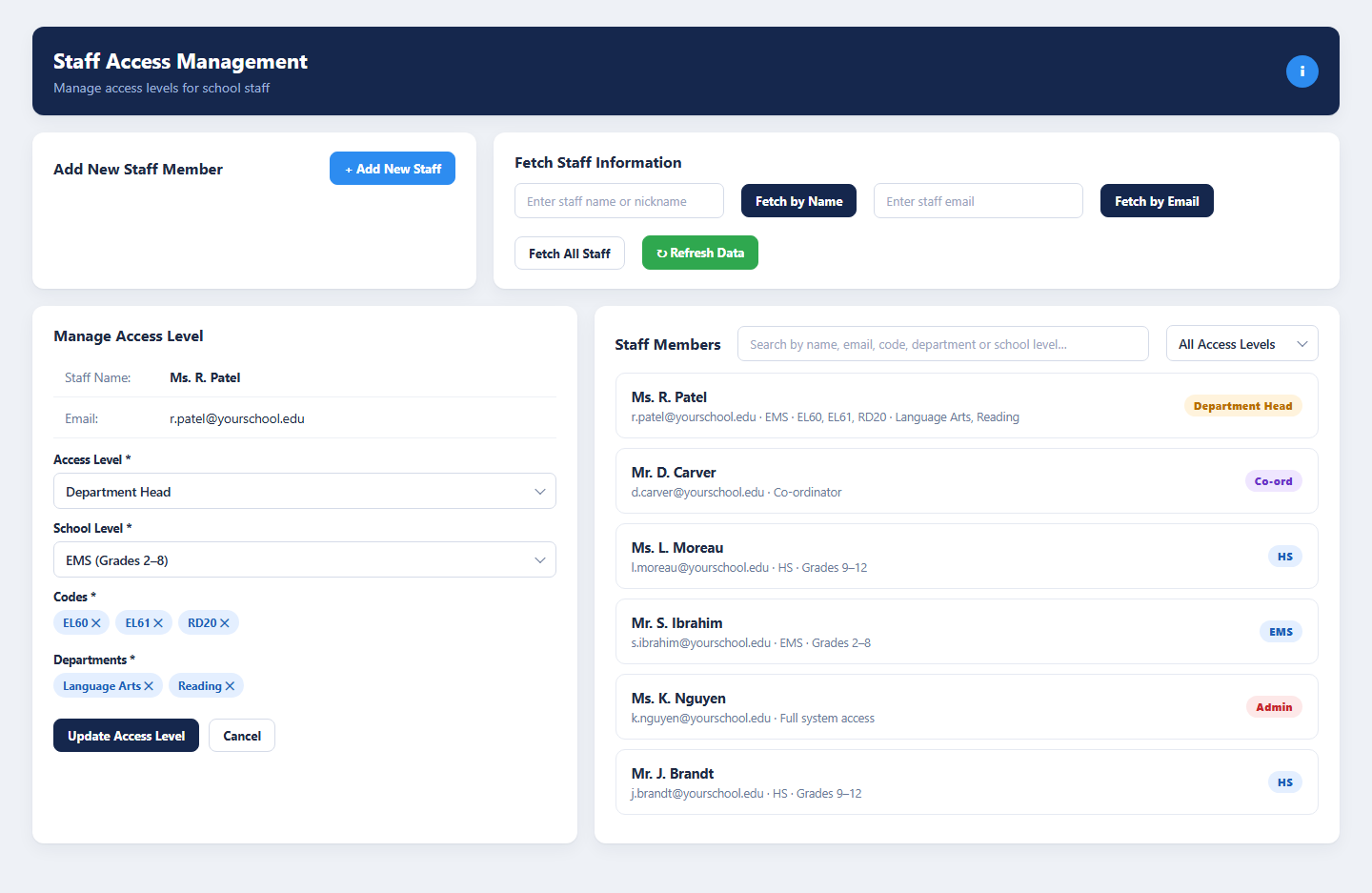
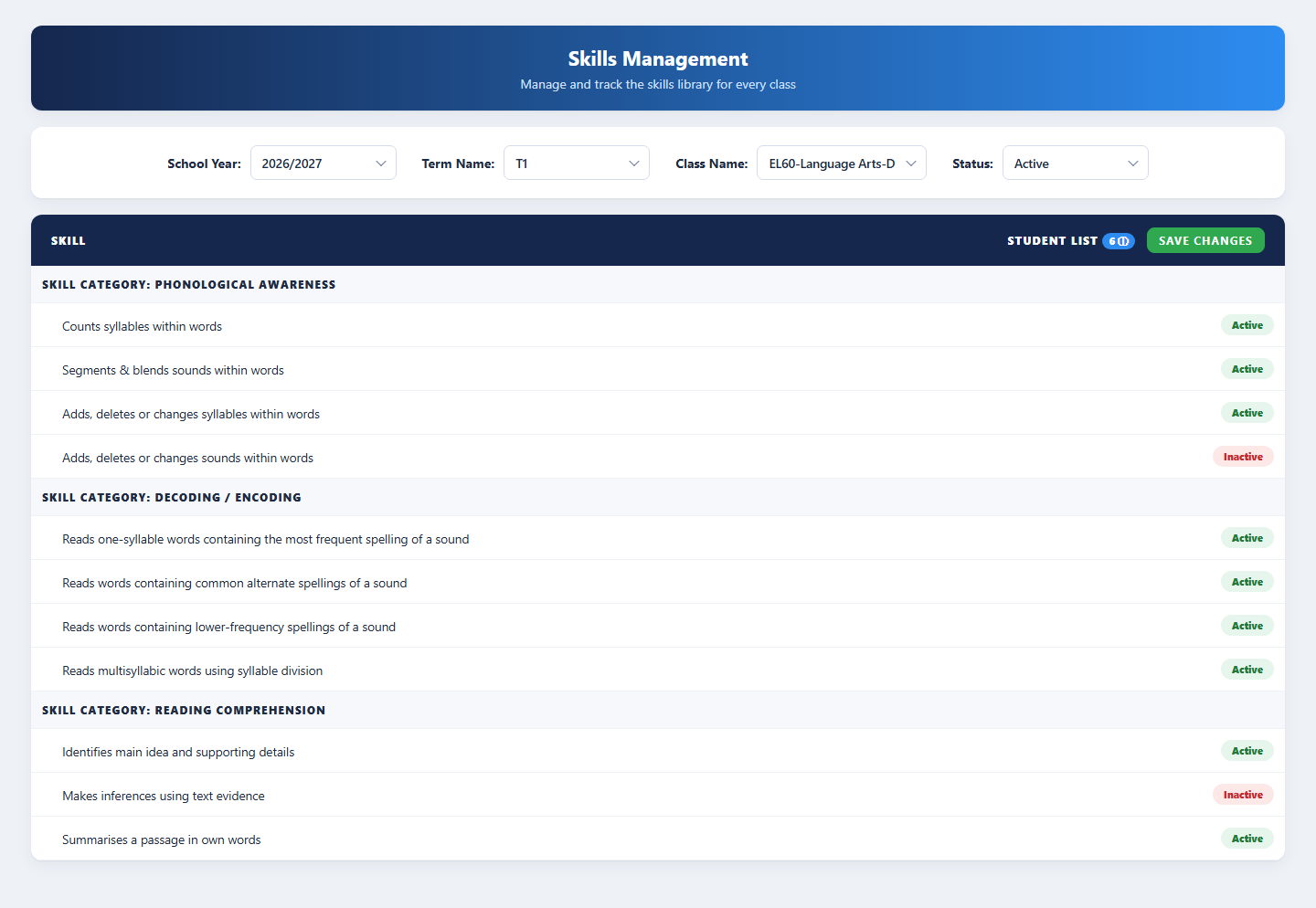
Around the workspace sit the tools that keep the program running: a configuration console for school years, terms, entry windows and email templates, staff access management with five access levels, student-to-class mapping, a skills library per class, a completion tracker that shows exactly which students and categories are still pending, backup and recovery with full version history, and a progress report generator that produces the PDF and emails it to the guardian. Everything runs on the BDB Platform and can be shaped to the institution’s own terminology and workflow.
- Reflections, report card, skills assessment and IEP goals for every student and term
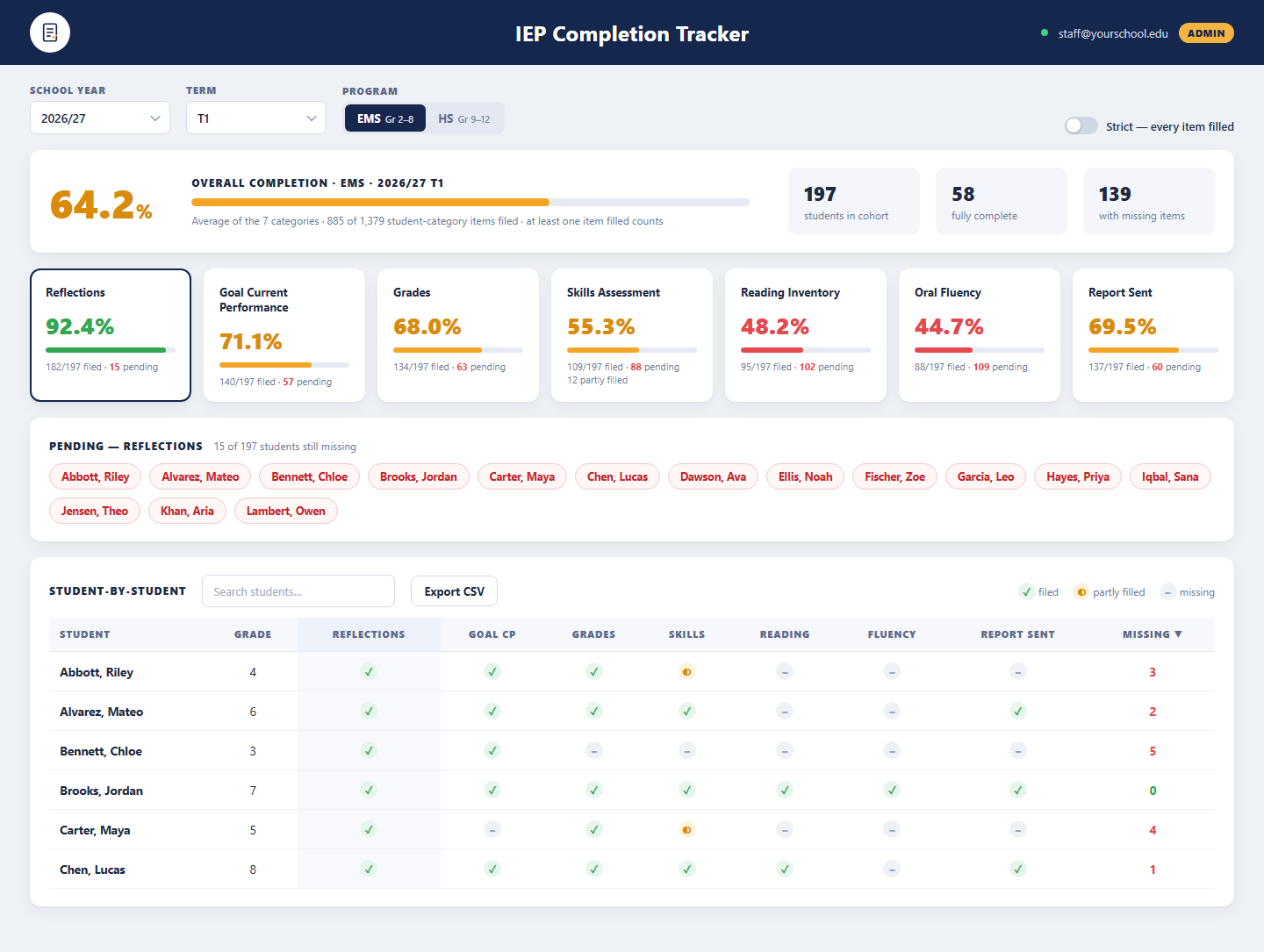
- Completion tracker across seven categories with pending lists and CSV export
- Progress reports generated as PDF and emailed to guardians from a template
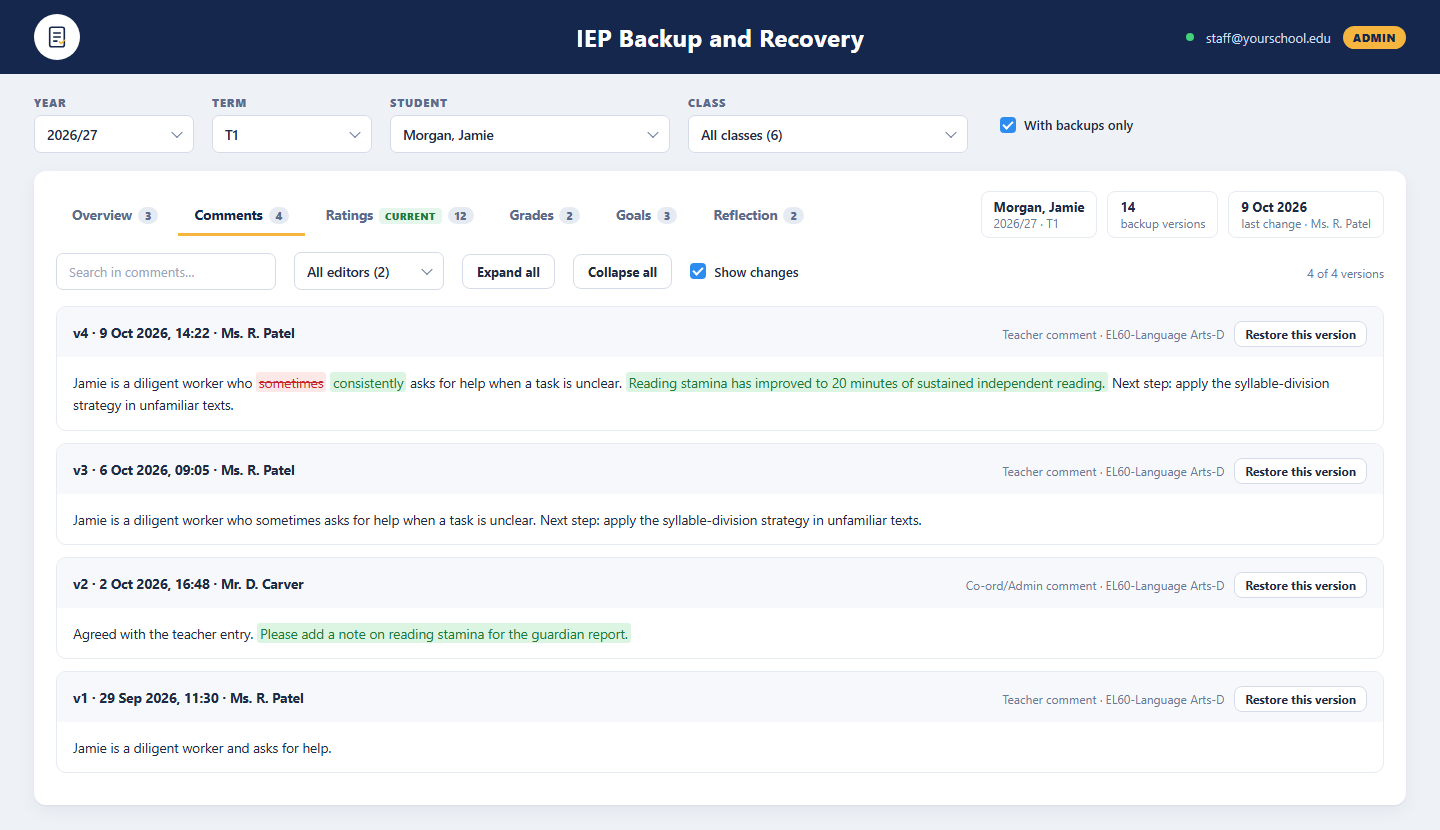
- Backup and recovery with version history, editor filter and change highlighting

What It Does
IEP Reports Workspace
Reflections, report card, skills assessment and IEP goals for each student, entered by teachers and reviewed by co-ordinators and administrators in one place.
Completion & Oversight
A completion tracker across seven categories, pending lists by student, and backup and recovery with full version history for every entry.
Setup & Administration
Terms, entry windows, email templates, staff access levels, student class mapping, the skills library and guardian progress reports, all configured by the school.
Who It Serves
Record each student’s progress, term by term
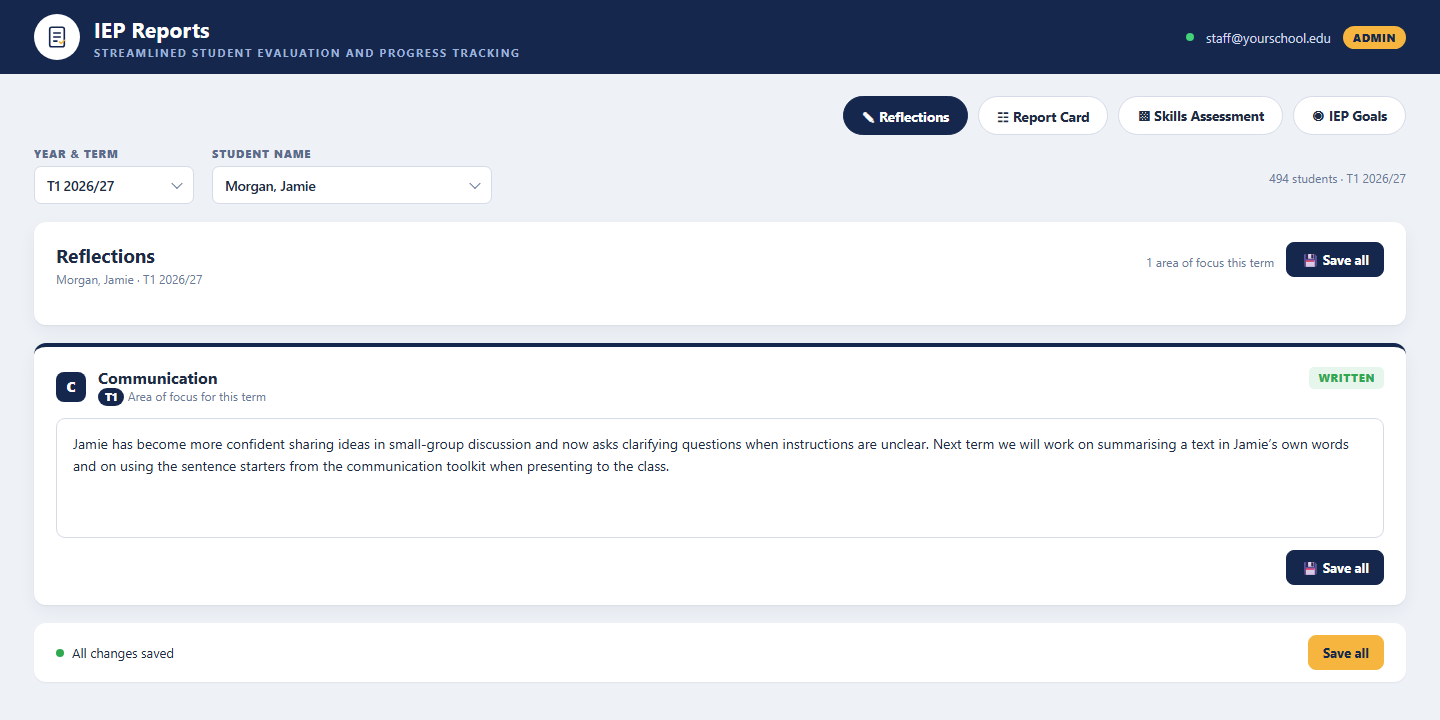
- Write a reflection on the term’s area of focus
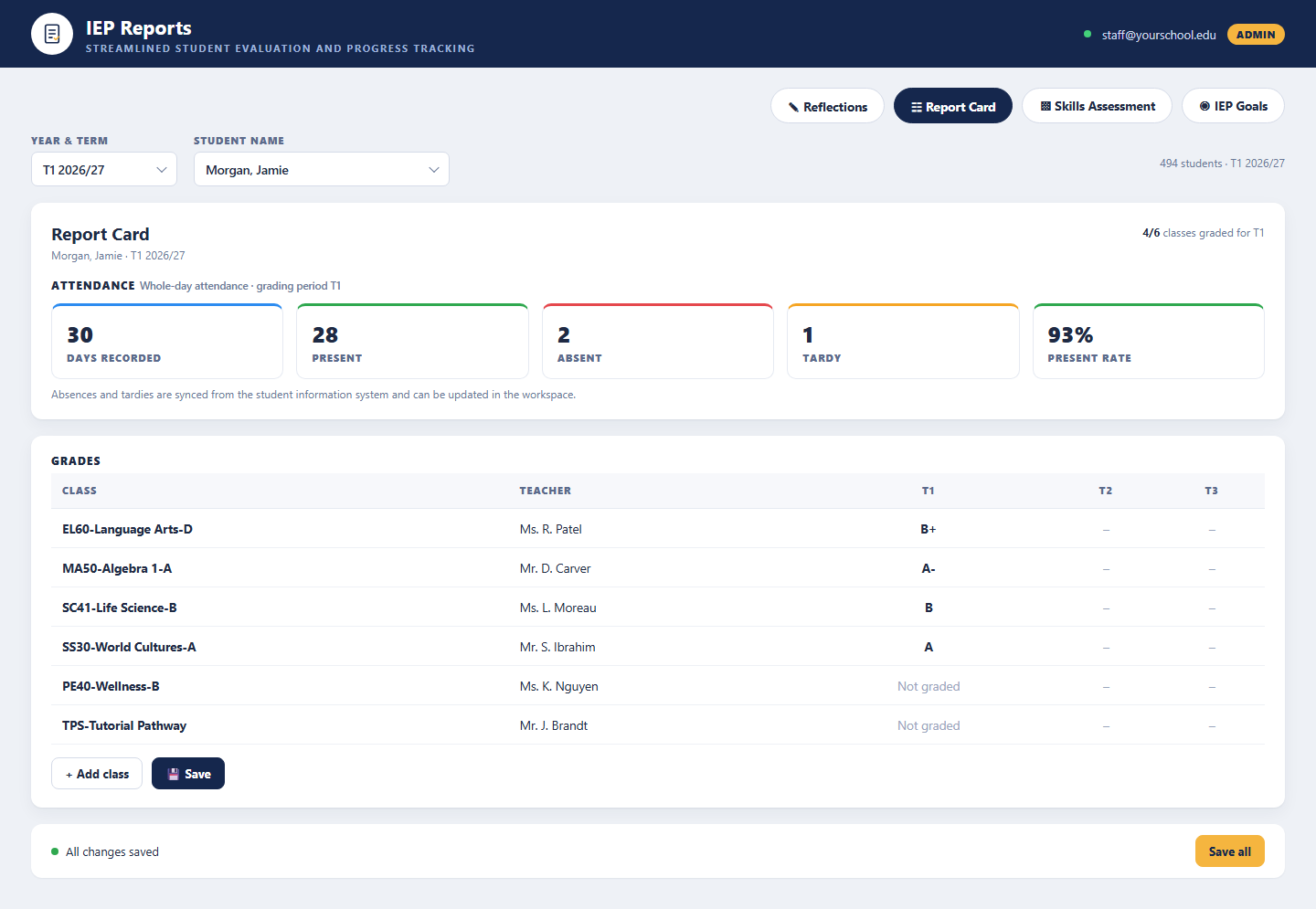
- Complete the report card with attendance and class grades
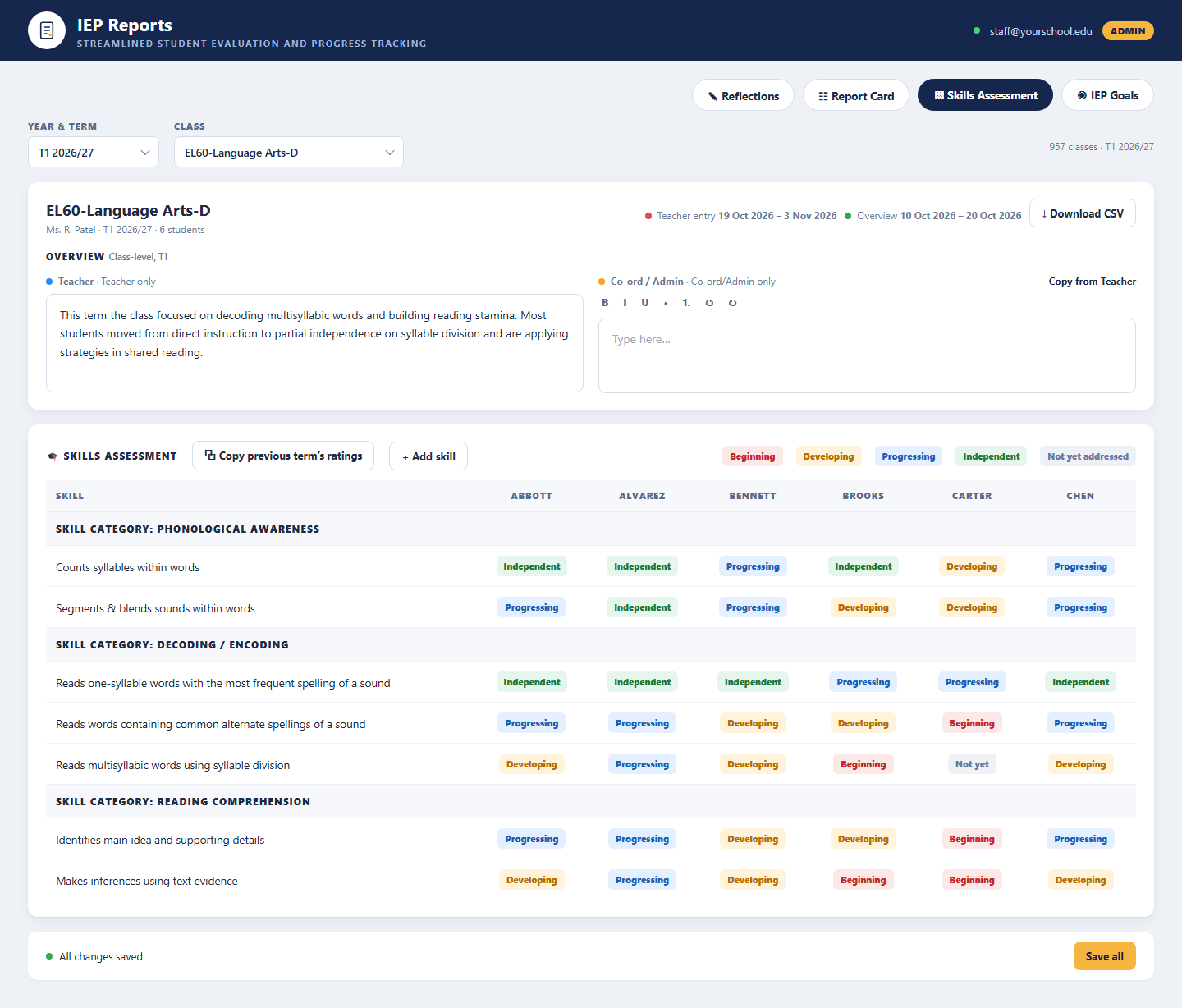
- Rate every skill from Beginning to Independent, or copy last term’s ratings
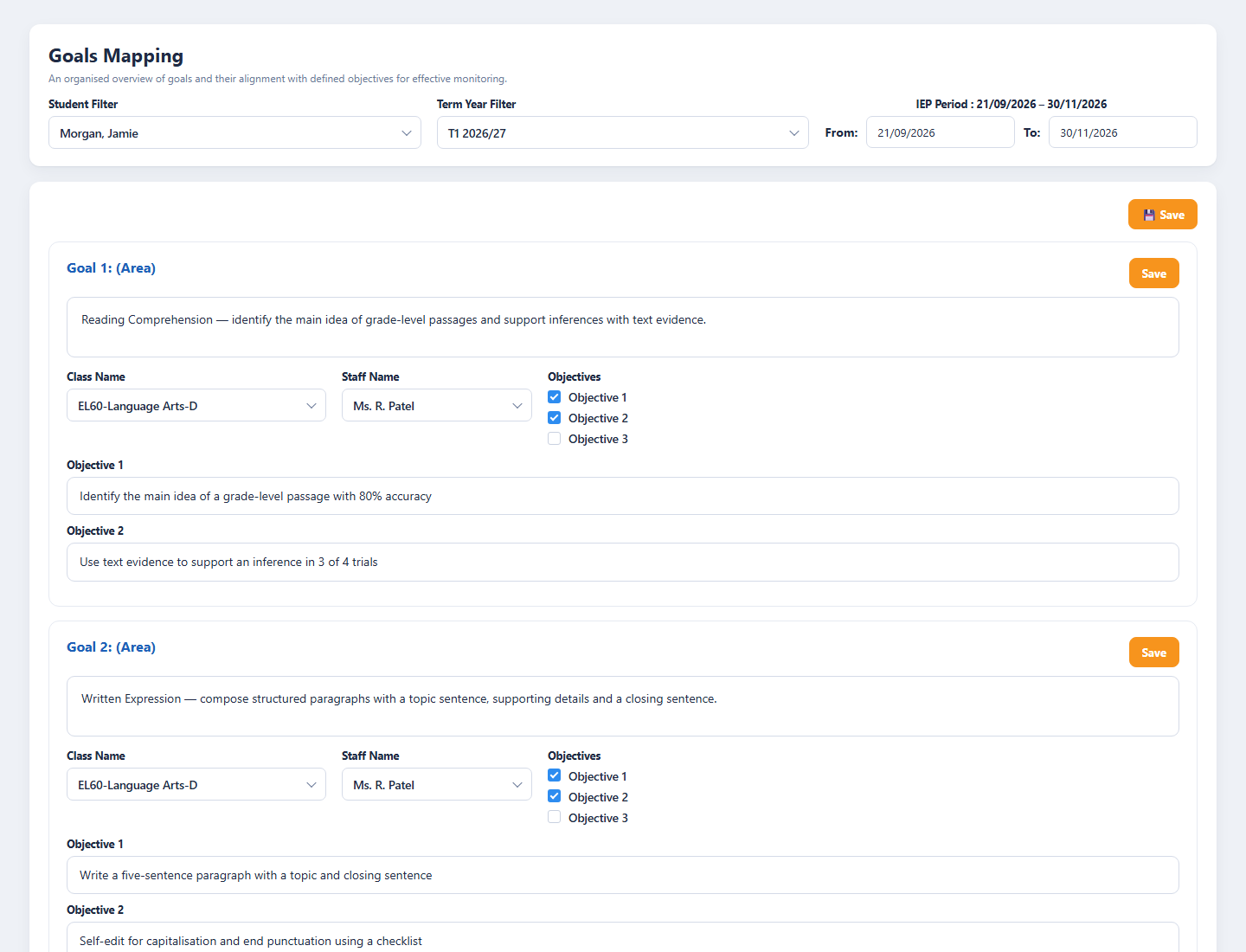
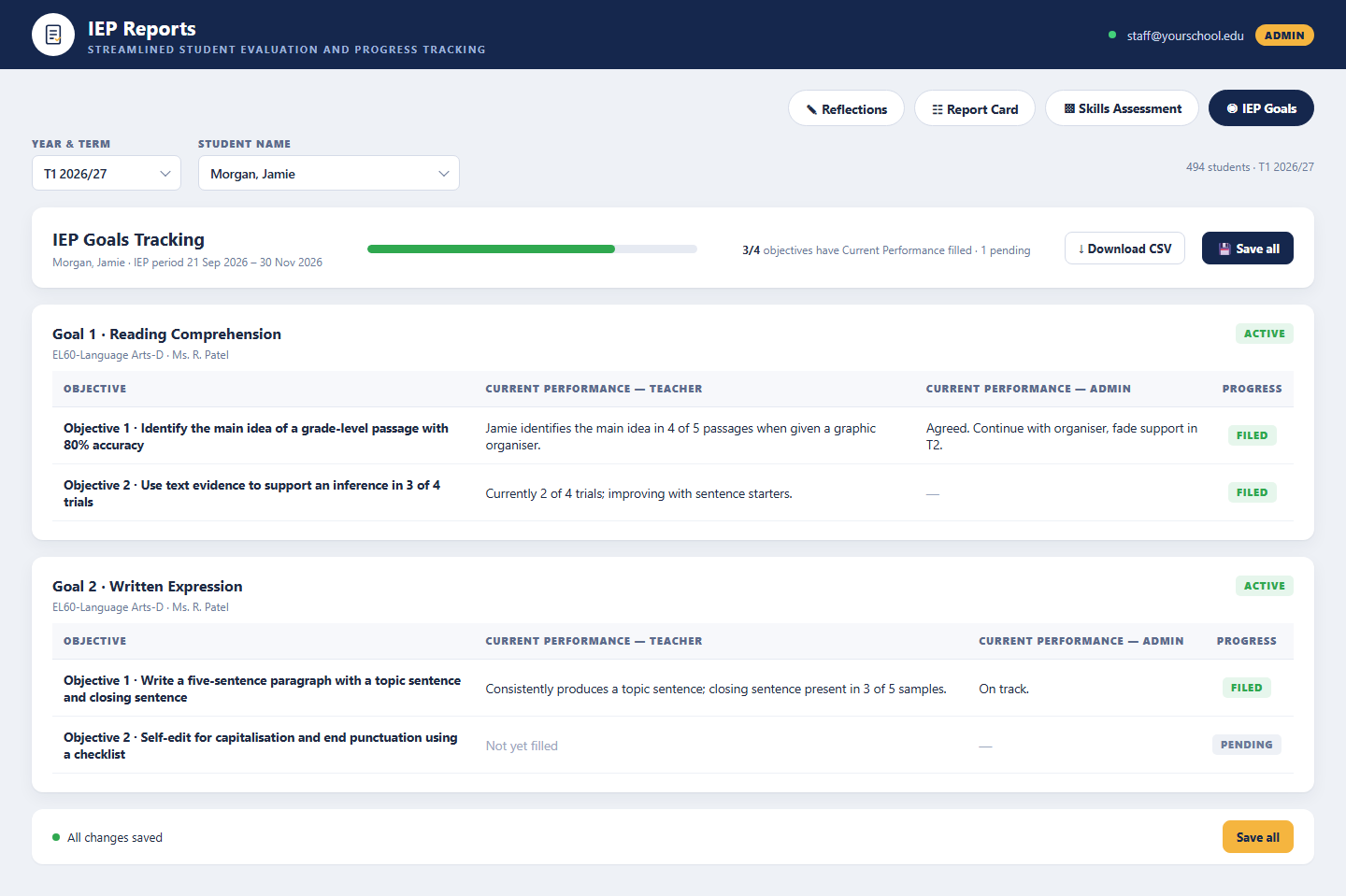
- Record current performance against each IEP goal objective
- Add a class-level overview and per-student comments
- See the entry window dates and save all changes in one click
Keep the program complete and consistent
- Follow completion across seven categories for EMS and HS cohorts
- See which students are still pending in any category
- Add co-ordinator overviews and comments, or copy from the teacher
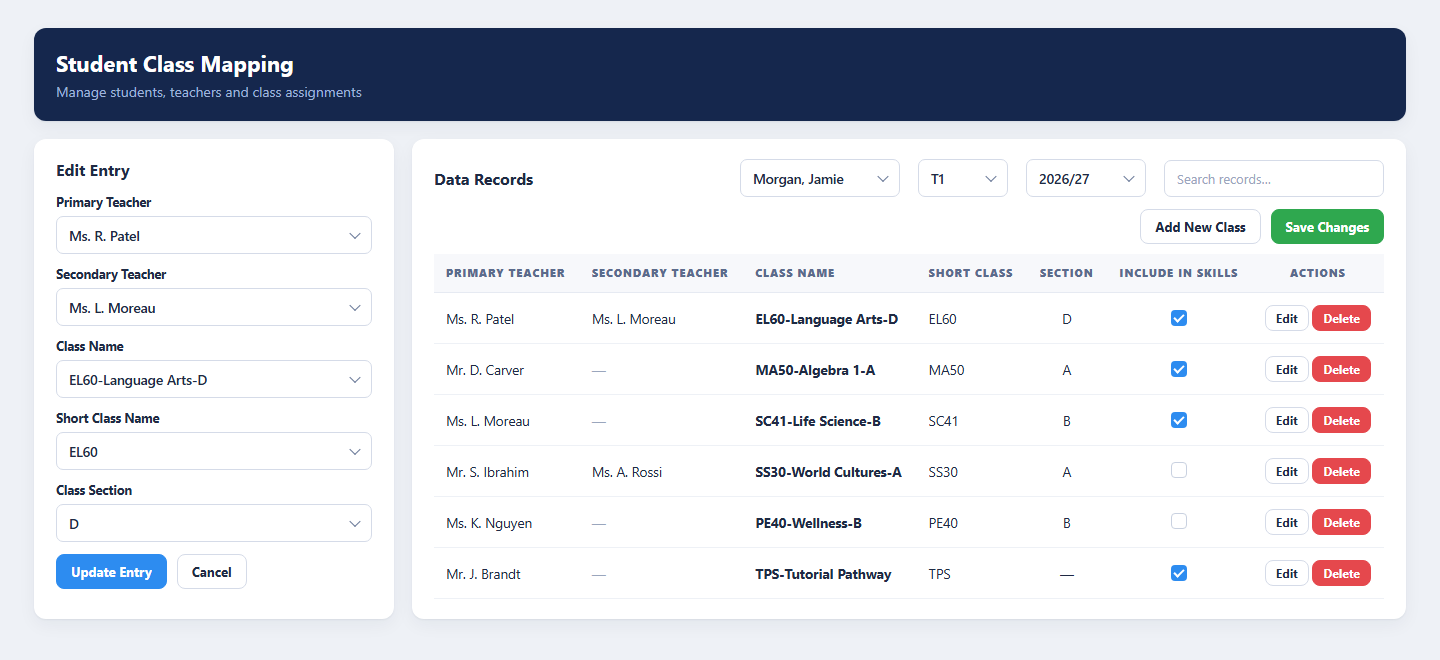
- Map students to classes, teachers and sections
- Maintain the skills library and mark skills active or inactive
- Restore any earlier version of an entry with changes highlighted
Configure, control access and report to families
- Set school years, terms and entry windows for each group
- Define the area of focus for the IEP period
- Assign Admin, Department Head, Co-ord, EMS or HS access with codes and departments
- Generate the student progress report as a PDF
- Email the report to the selected guardian from a template
- Download all progress reports for a term in one go
How It Works
From setup to the guardian’s inbox in four steps
Administrators open the term by setting dates, entry windows, the area of focus and staff access. Teachers enter goals and objectives for each student, then fill in reflections, grades, skill ratings and current performance during their entry window. Co-ordinators watch the completion tracker, add their own overviews and comments and recover earlier versions if needed. When everything is filed, the progress report is generated and emailed to the guardian.
Configure
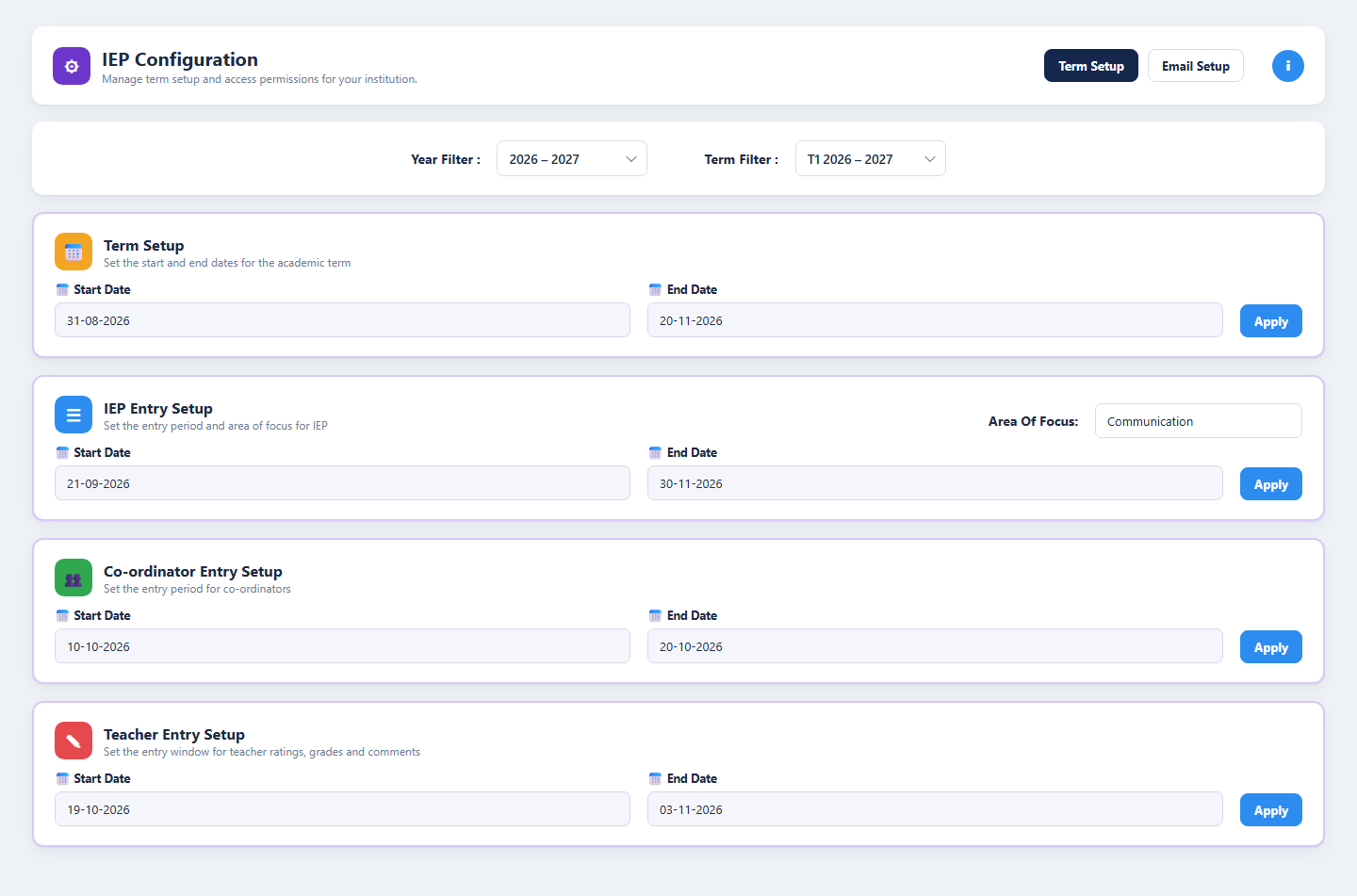
Set the school year, term dates, entry windows, area of focus and email template, and assign staff access levels.
Enter
Teachers map goals and objectives, then record reflections, attendance, grades, skill ratings and current performance.
Track
Co-ordinators follow completion by category and student, add overviews and comments, and restore earlier versions when needed.
Share
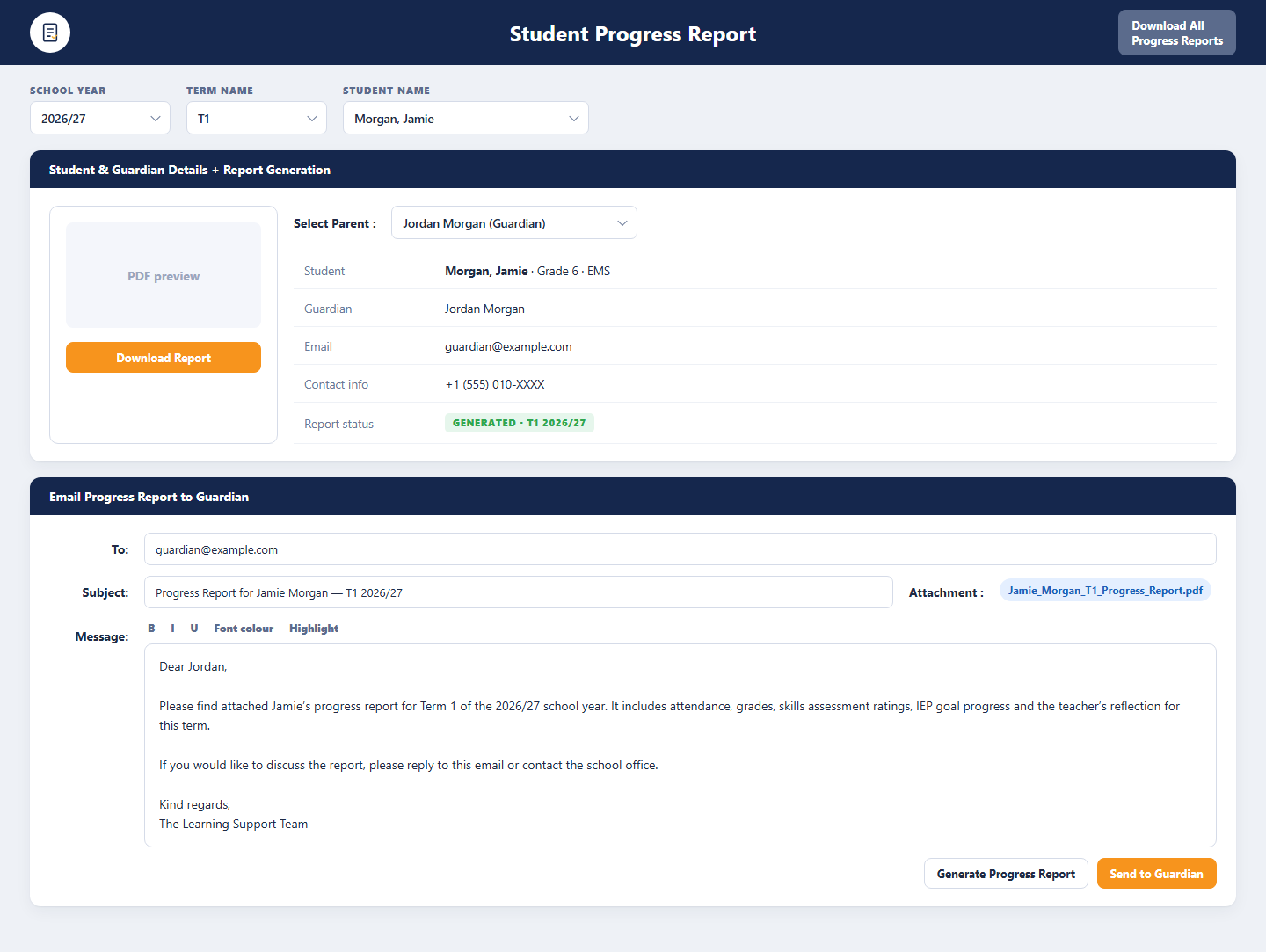
The progress report is generated as a PDF, previewed, and emailed to the guardian from the school’s template.
Benefits and Features
Reflections
A termly reflection on the configured area of focus, with a written or not-written status for every student.
Report Card
Whole-day attendance with days recorded, present, absent, tardy and present rate, plus grades per class for T1, T2 and T3.
Skills Assessment
Skills grouped by category and rated Beginning, Developing, Progressing, Independent or Not Yet Addressed, with teacher and co-ordinator overviews.
IEP Goals & Objectives
Goals mapped to classes and staff with up to three objectives each, and current performance recorded by the teacher and the administrator.
Completion Tracker
Overall and per-category completion for EMS and HS cohorts, pending lists, a student-by-student matrix, strict mode and CSV export.
Progress Reports to Guardians
Generate the PDF, preview it, choose the guardian and send it from a template, or download every report for the term at once.
Term & Entry Window Setup
School years, terms, IEP, co-ordinator and teacher entry windows and the area of focus, all set by the school without code.
Staff Access & Class Mapping
Five access levels with codes, departments and school levels, plus student-to-class mapping with primary and secondary teachers.
Backup & Recovery
Every overview, comment, grade, goal and reflection is versioned, filterable by editor and restorable with changes highlighted.
Platform Screens
Three Roles, One Platform
Teachers
Sign in with their institution account to complete reflections, report cards, skills ratings and IEP goal performance for their students during the entry window.
Co-ordinators & Administrators
Configure terms and access, track completion across the cohort, add overviews and comments, recover earlier versions and generate progress reports.
Guardians
Receive the termly progress report as a PDF by email, with attendance, grades, skills ratings, IEP goal progress and the teacher’s reflection.
Tailored to Your Institution
Flexible by design
The solution provides flexibility to tailor components to the institution’s own identity and requirements. Logo, branding, colour theme, communication style, terminology, workflows and other institution-specific requirements can be customised if required.
Every element seen in the demo is a starting point. Yujaa configures the solution around how your learning support team already works, so everyone experiences a platform that feels like their own.
Logo & Branding
Institution logo, name and visual identity across every portal and email.
Colour Theme
Palette and styling aligned to the institution’s brand guidelines.
Communication & Terminology
Email tone, labels and terms matched to how the institution speaks.
Workflows
Approval steps, forms and role permissions set to local requirements.
Ready to Run Every IEP in One Place?
Walk through the reports workspace, completion tracker, configuration console and progress report generator with the Yujaa team. Built and hosted on the BDB Platform.