

Internship & Career Opportunities
Student Career Development Portal
The portal is the one place students and alumni go to find what is next: internships, external employment opportunities, career guidance events and employer visits, matched to their college and program, with a registration deadline, capacity and waitlist on each one. Students sign in with their university account, register or save favourites, book a career guidance session and read the internship stories of other students. The career guidance team publishes and verifies every opportunity, tracks registrations and waitlists, chooses the portal images and curates the student stories, all from one admin workspace on the BDB Platform.
Solution Overview
From a posting to a registered student in one portal
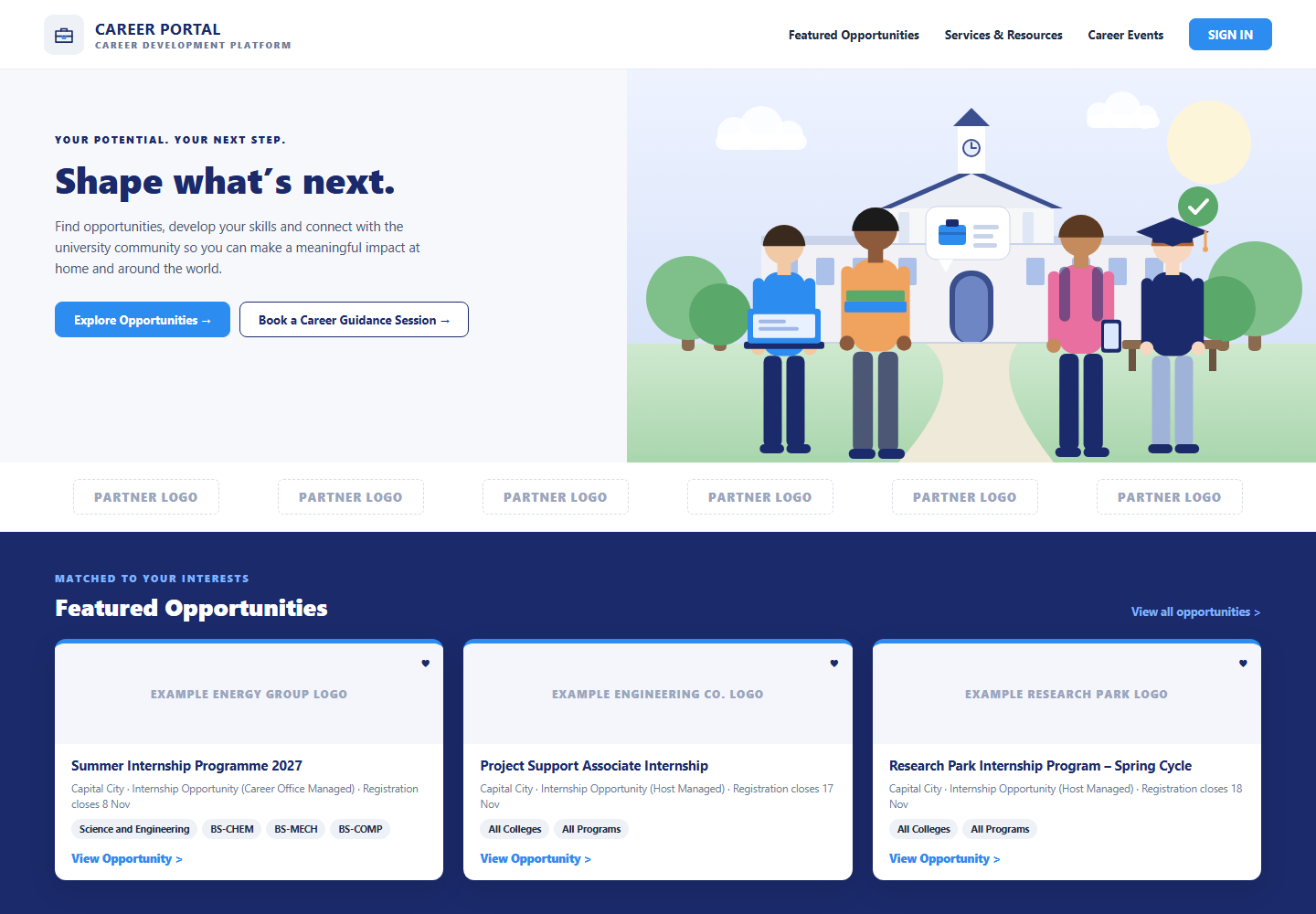
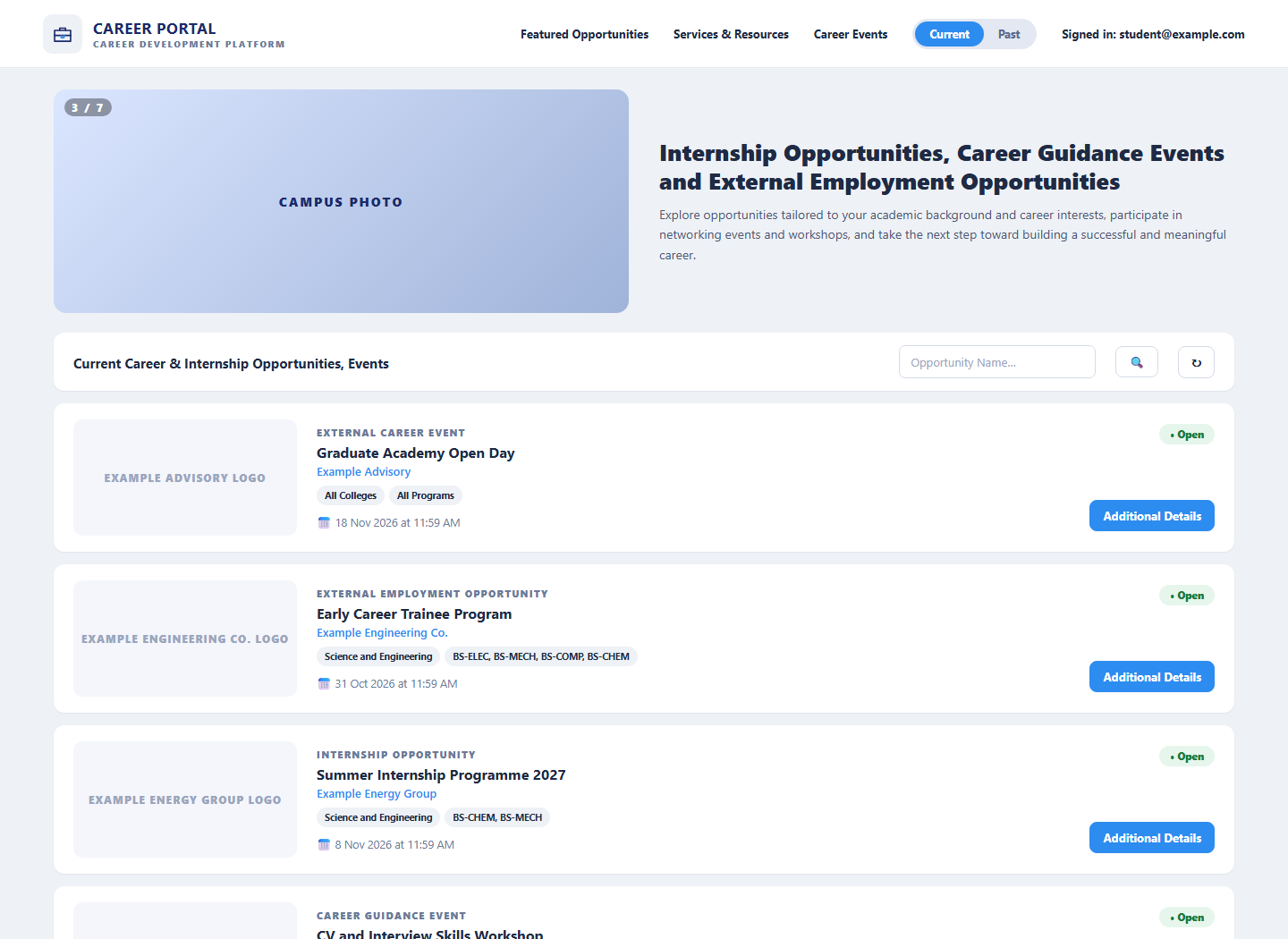
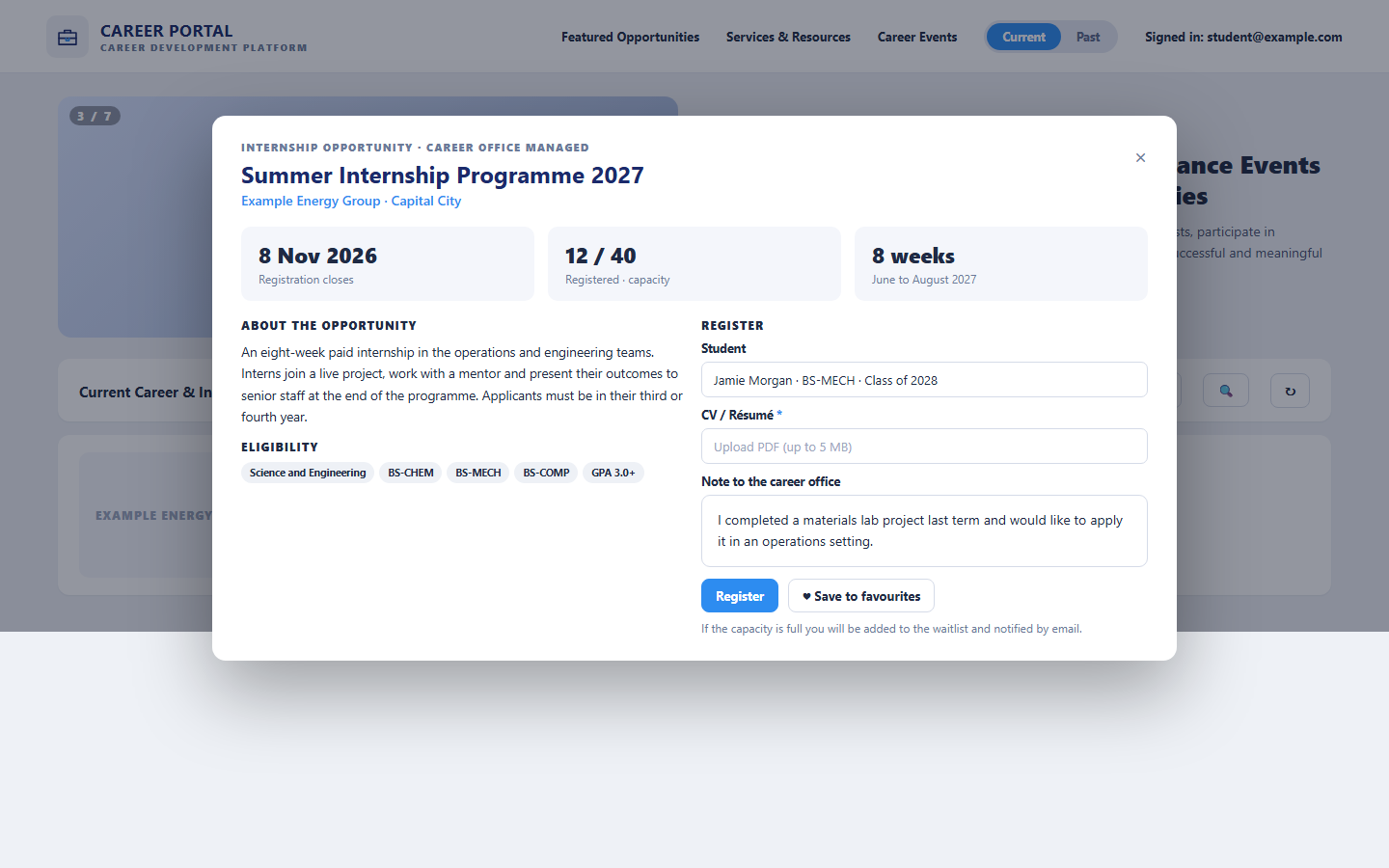
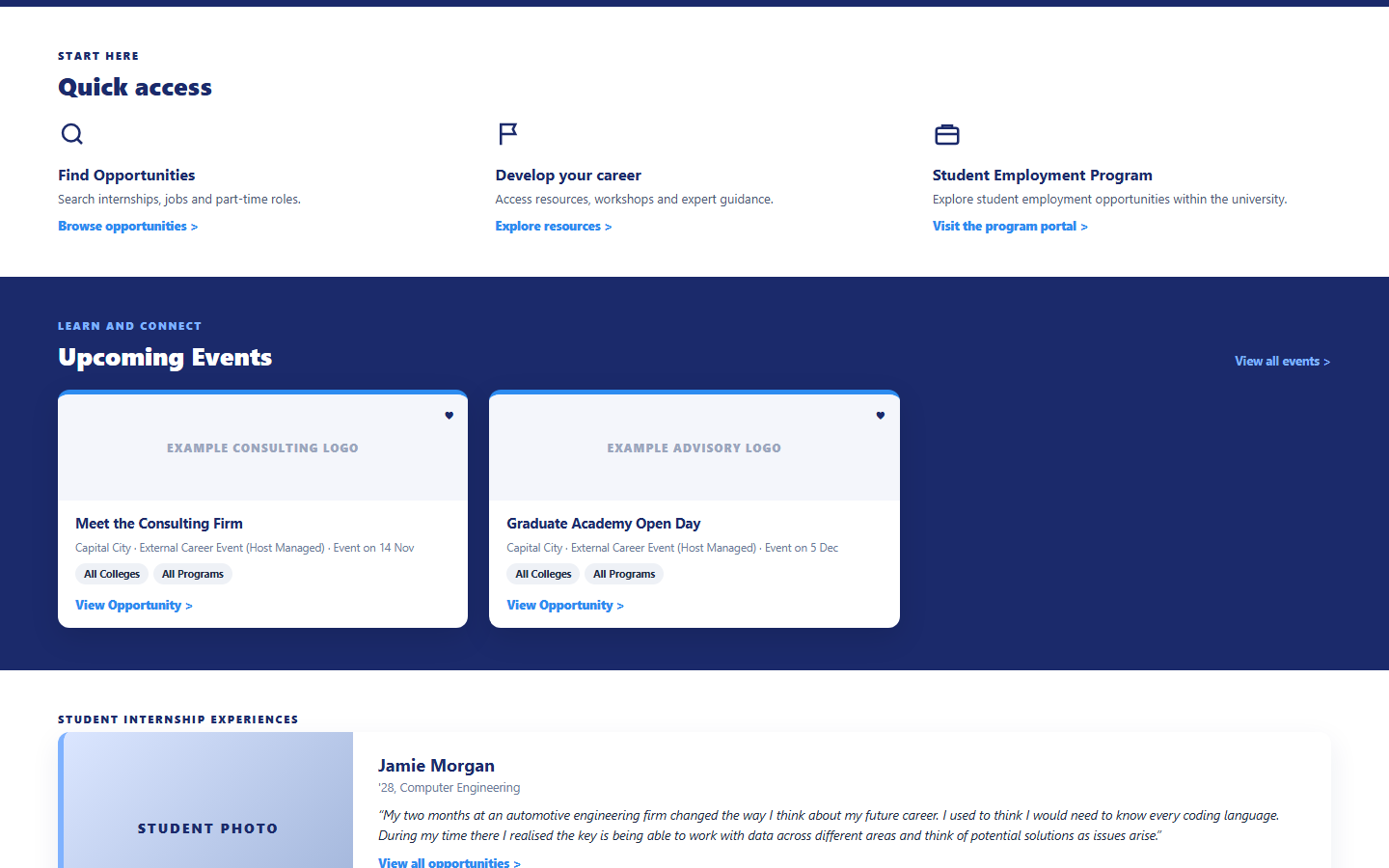
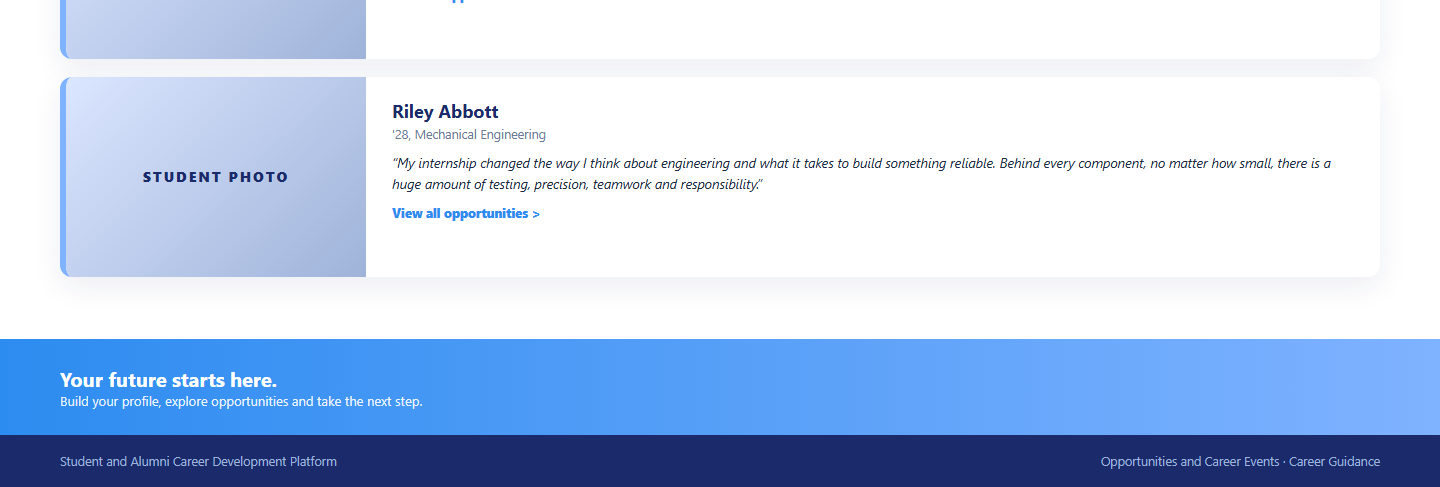
The public portal opens with a call to shape what is next, partner logos and three featured opportunities matched to the student’s interests, each showing the location, type, registration deadline and eligible colleges and programs. Quick access leads to finding opportunities, developing a career through resources and workshops, and the student employment program. Upcoming events show employer visits and open days, and student internship experiences bring the portal to life with real stories and photos. Signed-in students see the full list of current and past internship opportunities, career guidance events and external employment opportunities, search by name, open the additional details, register or join the waitlist, and save favourites.
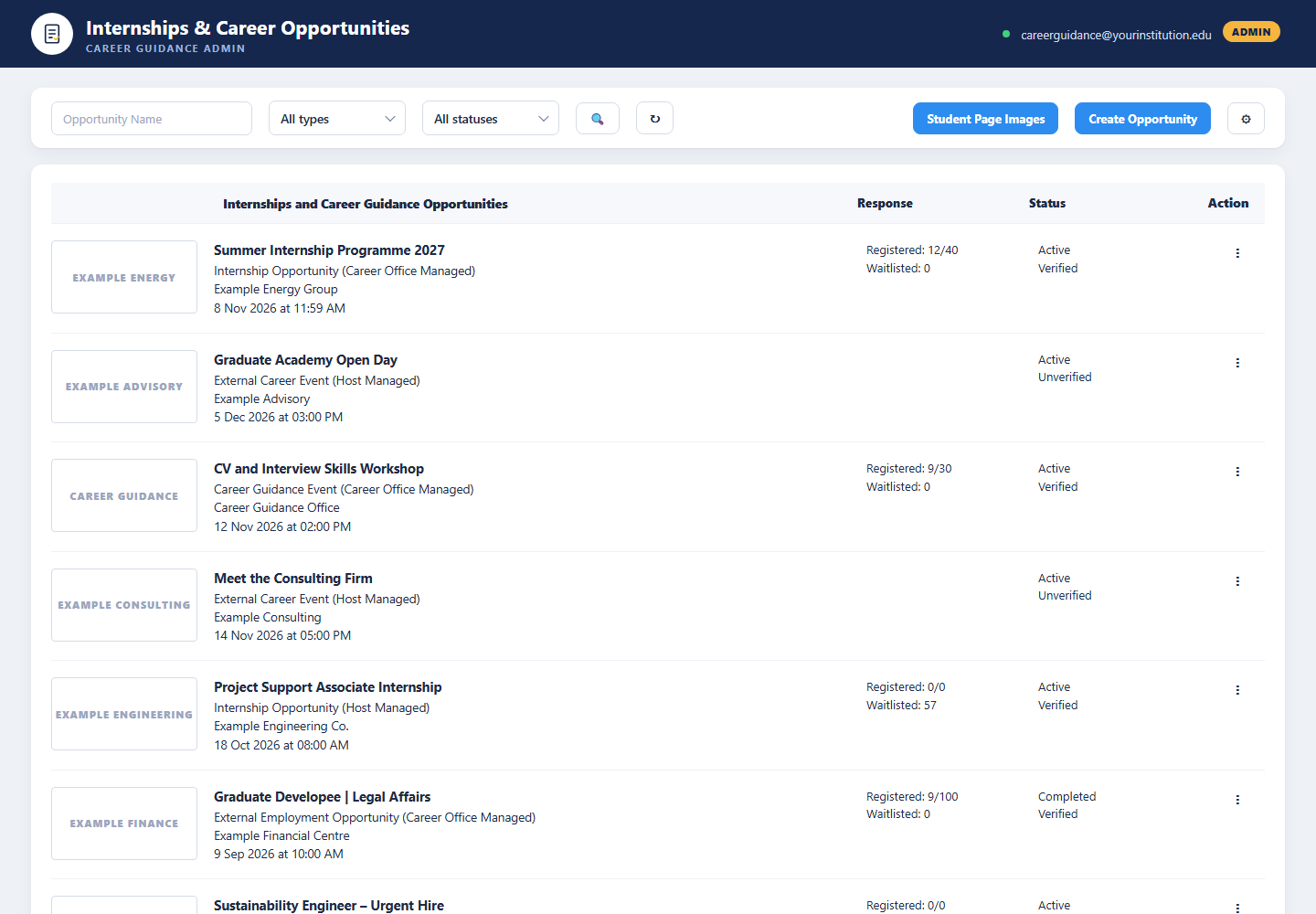
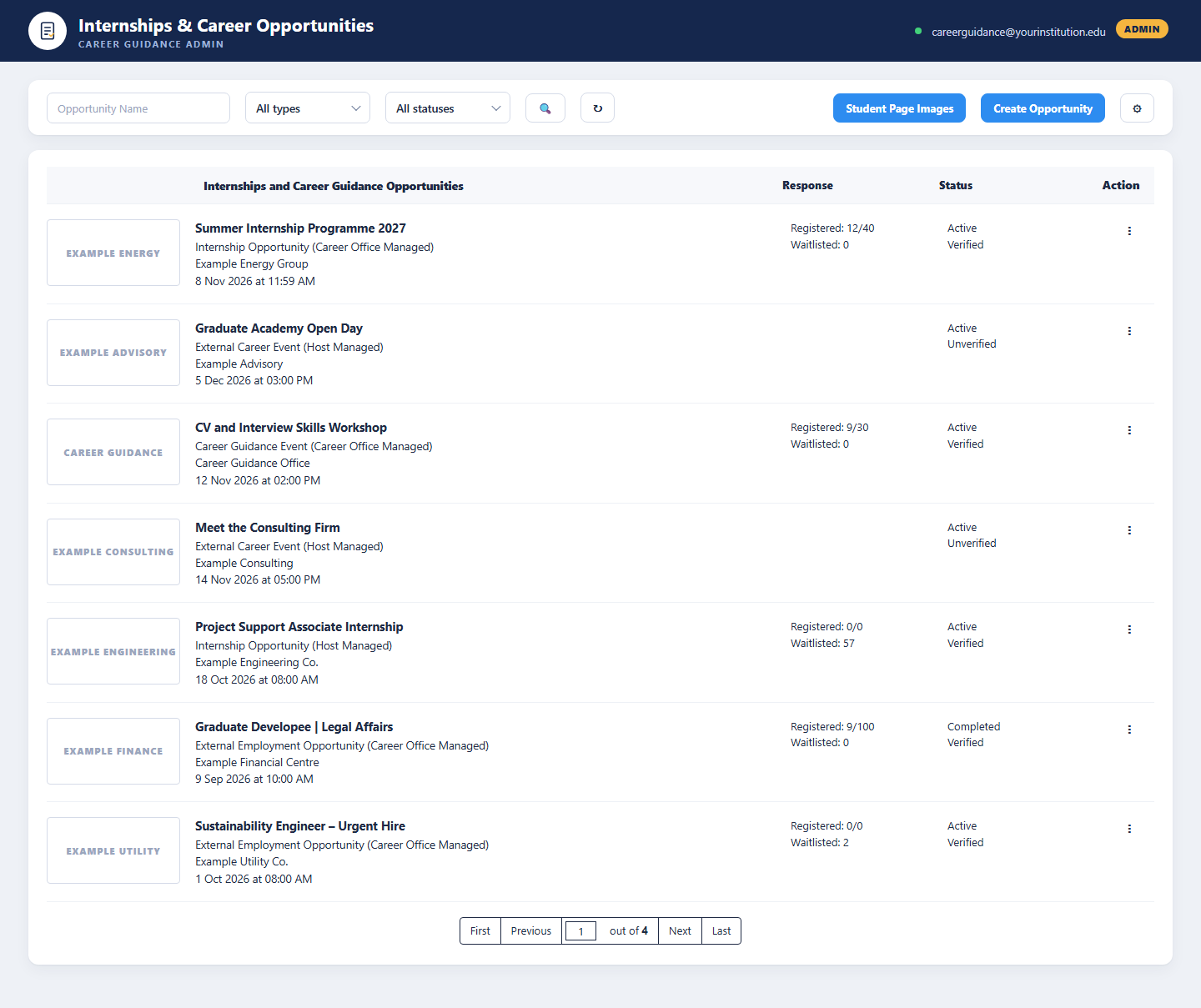
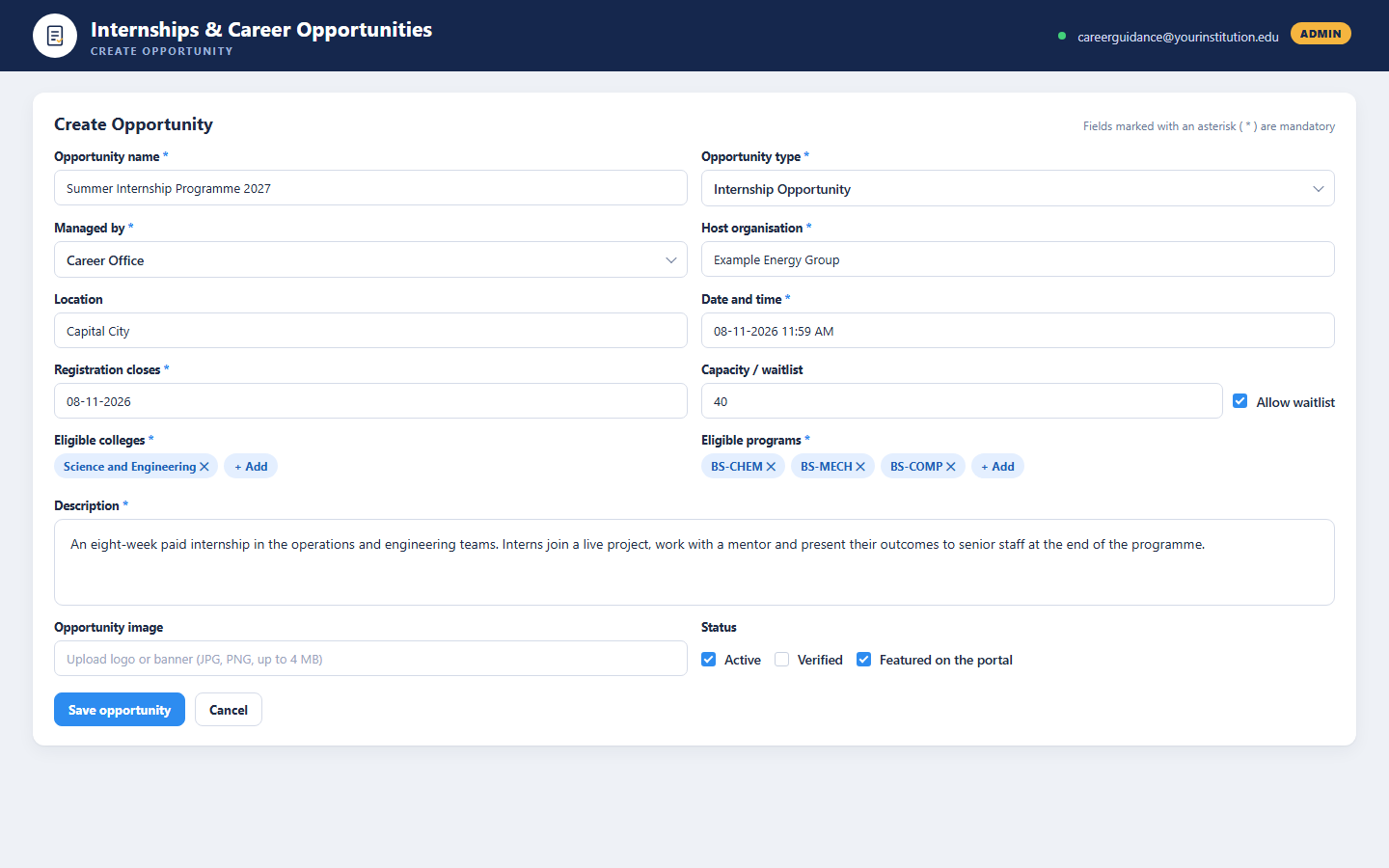
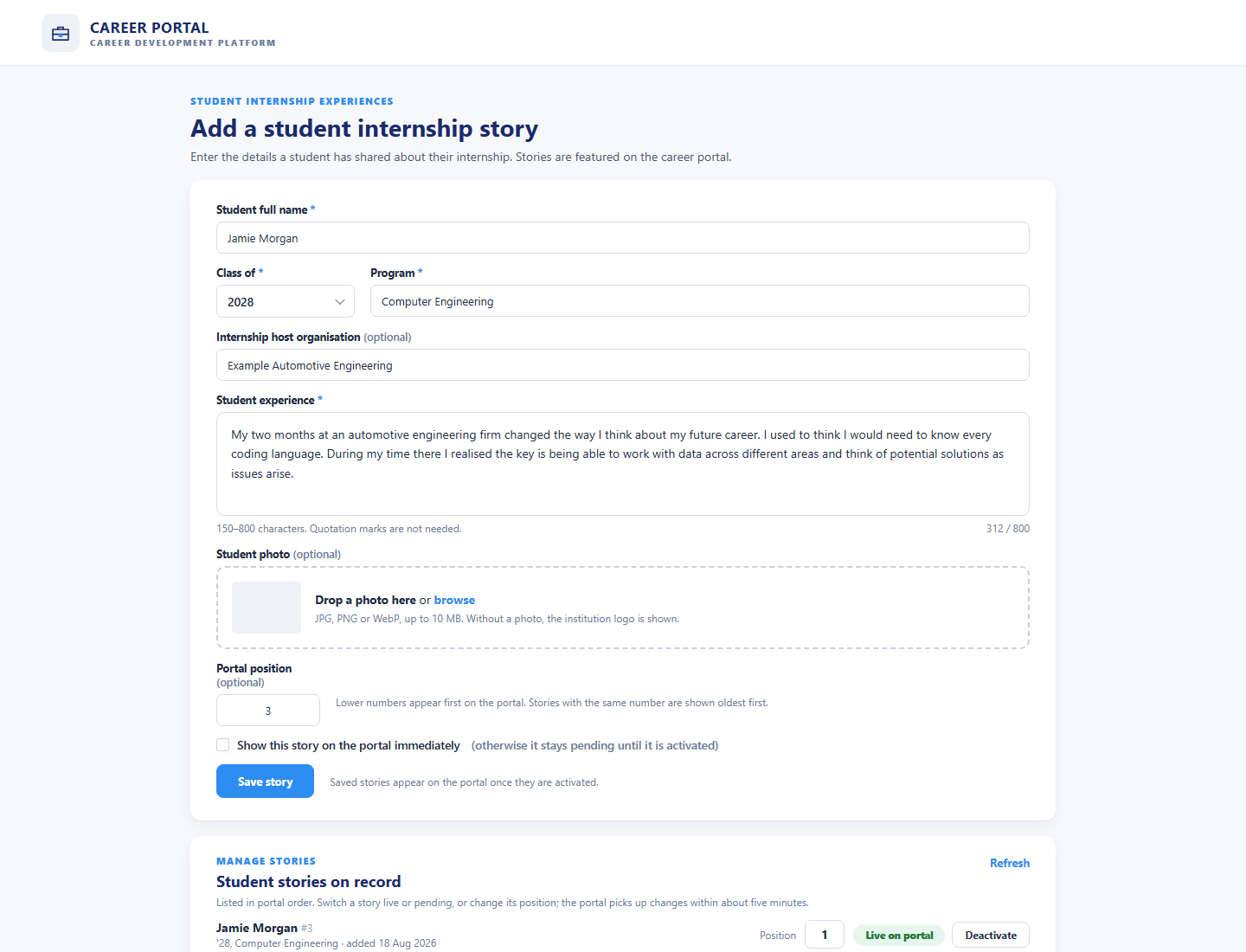
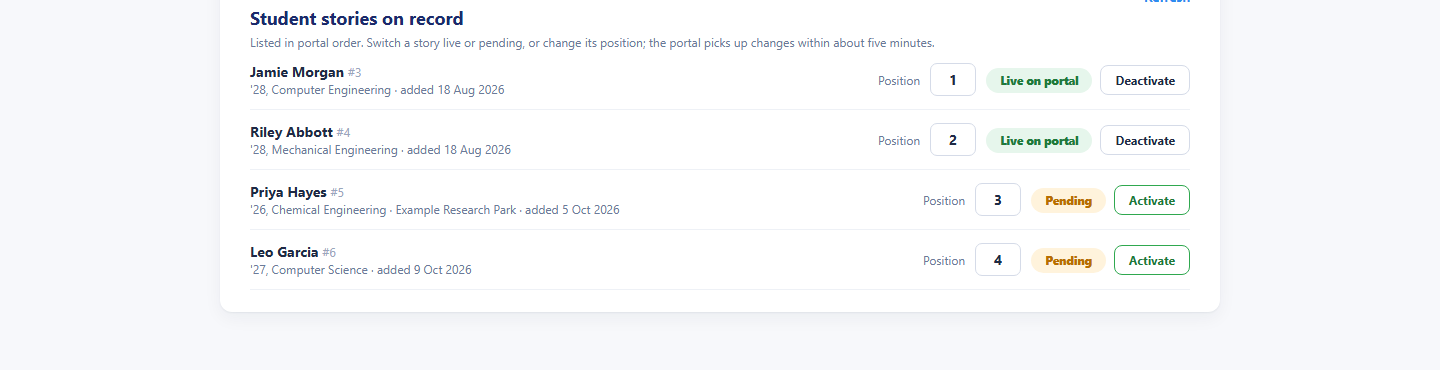
Behind the portal, the career guidance team works in an admin workspace: a list of every internship and career guidance opportunity with its image, type, host organisation, date, registrations against capacity, waitlist count, active or completed status and verified flag, with filters by name, type and status, a create-opportunity form, a settings panel and a student page images tool for the portal banners. A separate student stories form records what a student shared about their internship, with class year, program, host organisation, a 150 to 800 character experience, a photo and the position on the portal, and a manage-stories list switches each story between live and pending. Everything runs on the BDB Platform.
- Featured internships, employment opportunities and career events matched to college and program
- Student sign-in through the university account, registration, waitlist and favourites
- Admin list of every opportunity with registrations, waitlists, status and verification
- Student internship stories curated by the career guidance team and shown on the portal

What It Does
Career Portal
A public career development site with featured opportunities, quick access, upcoming events and student internship stories, with sign-in for students and alumni.
Opportunities Admin
Create, verify and manage internships, employment opportunities, career guidance events and employer events, with registrations, waitlists and status in one list.
Student Stories
Record each student’s internship experience with photo, program and host organisation, set the portal position and switch stories live or pending.
Who It Serves
Find, register and get inspired
- Browse featured and current opportunities matched to college and program
- See location, type, deadline, capacity and eligibility on every card
- Sign in with the university account to register or join the waitlist
- Save favourites and switch between current and past opportunities
- Book a career guidance session and explore resources and workshops
- Read internship stories from other students
Publish, verify and track every opportunity
- Create internships, employment opportunities and events with image, type, host and date
- Set eligible colleges and programs, capacity and waitlist
- Verify postings before they appear on the portal
- Track registrations against capacity and waitlist counts
- Mark opportunities completed and keep the past list
- Choose the student page images and curate student stories
Reach the right students
- Internships and employment opportunities listed with the host’s logo
- Career events and open days promoted to all or selected colleges
- Opportunities managed by the career office or by the host
- Registration deadlines and capacity set per opportunity
- Partner logos shown on the portal home page
- Student stories that showcase the internship experience
How It Works
From posting to placement in four steps
The career guidance team creates an opportunity, sets its eligibility, capacity and deadline and verifies it. Students find it on the portal, sign in and register or join the waitlist. The team tracks registrations, marks the opportunity completed when it closes, and records the student’s internship story afterwards so the next cohort can read it.
Publish
Create the opportunity with type, host, date, eligibility, capacity and image, and verify it for the portal.
Discover
Students see featured and current opportunities matched to their college and program and open the details.
Register
Students sign in with their university account, register or join the waitlist and save favourites.
Share
After the internship, the team records the student’s story and switches it live on the portal.
Benefits and Features
Four Opportunity Types
Internship opportunities, external employment opportunities, career guidance events and external career events, each managed by the career office or by the host.
Matched to College & Program
Eligible colleges and programs on every opportunity, so students see what applies to them, or all colleges and all programs.
University Sign-In
Students and alumni sign in through the university’s single sign-on; the public home page needs no account.
Registration & Waitlist
Capacity per opportunity, registrations counted against it, automatic waitlist and current and past views for students.
Favourites & Guidance
Save opportunities with one tap and book a career guidance session from the home page.
Admin Opportunity List
Every opportunity with image, type, host, date, response counts, status and verification, filtered by name, type and status, with pagination.
Create Opportunity
Name, type, managed by, host, location, date, deadline, capacity, eligibility, description, image, active, verified and featured flags.
Student Page Images
The portal banners and carousel images chosen by the career guidance team without code.
Student Internship Stories
Name, class year, program, host, a 150 to 800 character experience, photo and portal position, switched live or pending from a manage list.
Platform Screens
Three Experiences, One Platform
Students & Alumni
Explore the portal without an account, then sign in with the university account to register, join waitlists and save favourites.
Career Guidance Team
Sign in to publish and verify opportunities, track registrations and waitlists, choose portal images and curate student stories.
Student Stories
Internship experiences recorded by the team and shown on the portal to inspire the next cohort.
Tailored to Your Institution
Flexible by design
The solution provides flexibility to tailor components to the institution’s own identity and requirements. Logo, branding, colour theme, communication style, terminology, workflows and other institution-specific requirements can be customised if required.
Every element seen in the demo is a starting point. Yujaa configures the solution around how your career guidance team already works, so everyone experiences a platform that feels like their own.
Logo & Branding
Institution logo, name and visual identity across every portal and email.
Colour Theme
Palette and styling aligned to the institution’s brand guidelines.
Communication & Terminology
Email tone, labels and terms matched to how the institution speaks.
Workflows
Approval steps, forms and role permissions set to local requirements.
Ready to Connect Students with Their Next Step?
Walk through the career portal, the opportunity admin workspace and the student stories form with the Yujaa team. Built and hosted on the BDB Platform.